
What Keywords Should I Use in Google AdWords?
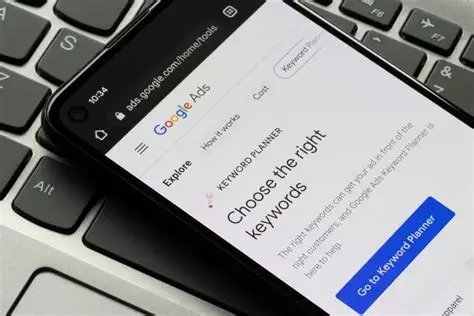
Keywords are the backbone of Google AdWords (Google Ads). They determine when your ads appear, who sees them, and how much you pay. Choosing the wrong keywords can drain your budget quickly, while choosing the right ones can deliver highly qualified traffic that converts consistently.
Many beginners assume that success in Google Ads comes from bidding on the most popular keywords. In reality, effective keyword strategy is about relevance, intent, and precision. The best-performing keywords are often not the most obvious ones—they are the ones that align most closely with what a user wants at the moment they search.
This article explains how to choose the right keywords for Google AdWords, how keyword research works, what match types are, and how to avoid the most common keyword-related mistakes.
What Are Keywords in Google AdWords?
In Google AdWords, keywords are the words or phrases advertisers choose to tell Google when to show their ads.
When a user searches for something that matches your keyword:
-
Your ad becomes eligible to appear
-
An auction takes place
-
Your ad may show depending on relevance and bid
Keywords connect user intent to advertiser offerings.
Why Keywords Matter More Than Budget
A large budget cannot fix poor keyword choices.
Strong keywords:
-
Improve Quality Score
-
Lower cost per click
-
Increase conversion rates
Weak keywords attract the wrong traffic and waste spend.
Understanding Search Intent
Search intent is the reason behind a search.
Most keywords fall into three intent categories:
-
Informational
-
Navigational
-
Commercial
Google Ads works best with commercial intent keywords.
Informational vs Commercial Keywords
Informational keywords include:
-
“What is digital marketing”
-
“How does Google Ads work”
These users are researching, not buying.
Commercial keywords include:
-
“Digital marketing agency near me”
-
“Google Ads management services”
These users are closer to taking action.
Transactional Keywords and Buyer Intent
The highest-value keywords are transactional.
They often include words like:
-
Buy
-
Hire
-
Pricing
-
Quote
-
Service
These signal readiness to convert.
Step One: Start With Your Product or Service
Begin keyword research by listing:
-
Your products
-
Your services
-
Problems you solve
Think in terms of how customers describe them—not how you do internally.
Thinking Like a Customer
Ask yourself:
-
What would I type into Google?
-
What problem am I trying to solve?
-
What outcome do I want?
This mindset produces better keywords than tools alone.
Step Two: Use Keyword Research Tools
Google provides built-in keyword research through Keyword Planner.
It helps you:
-
Discover new keywords
-
Estimate search volume
-
See competition levels
-
Forecast costs
Keyword tools guide decisions but do not replace judgment.
Understanding Search Volume
Search volume shows how often a keyword is searched.
High volume means:
-
More potential traffic
-
More competition
-
Higher cost
Low volume means:
-
Less traffic
-
Often higher intent
-
Lower cost
Balance is key.
Competition and Keyword Cost
Highly competitive keywords:
-
Cost more per click
-
Require stronger ads and landing pages
Low-competition keywords:
-
Are often more efficient
-
Can outperform broad terms
Efficiency beats popularity.
Long-Tail Keywords Explained
Long-tail keywords are longer, more specific phrases.
Examples:
-
“Emergency plumber open now”
-
“Affordable Google Ads consultant for small business”
They usually have:
-
Lower search volume
-
Higher intent
-
Better conversion rates
Why Long-Tail Keywords Are Ideal for Beginners
Long-tail keywords:
-
Are cheaper
-
Face less competition
-
Are easier to optimize
They allow new advertisers to compete effectively.
Step Three: Group Keywords by Theme
Keywords should be grouped by similarity.
Each ad group should focus on:
-
One main topic
-
Closely related keywords
This improves ad relevance and Quality Score.
Example of Poor Keyword Grouping
Mixing unrelated keywords like:
-
“Web design”
-
“SEO services”
-
“Google Ads management”
in one ad group reduces relevance and performance.
Example of Good Keyword Grouping
Better grouping:
-
One ad group for “Google Ads management”
-
Another for “PPC agency services”
Each group has tailored ads and landing pages.
Keyword Match Types Explained
Match types control how closely a search must match your keyword.
Google AdWords offers:
-
Broad match
-
Phrase match
-
Exact match
Understanding these is critical to cost control.
Broad Match Keywords
Broad match allows your ad to show for related searches.
Pros:
-
Maximum reach
-
Discover new queries
Cons:
-
Less control
-
Higher risk of irrelevant clicks
Not recommended for beginners without safeguards.
Phrase Match Keywords
Phrase match triggers ads when the search includes the keyword phrase.
Pros:
-
Better control than broad
-
Balanced reach
Cons:
-
Still allows some variation
Phrase match is often ideal for early campaigns.
Exact Match Keywords
Exact match shows ads only for very close variations.
Pros:
-
Maximum precision
-
High relevance
Cons:
-
Limited reach
Exact match works well for high-intent keywords.
Choosing the Right Match Types
For most beginners:
-
Start with phrase and exact match
-
Add broad match later with data and negatives
This prevents early budget waste.
Negative Keywords: The Hidden Power Tool
Negative keywords tell Google when not to show your ads.
They prevent your ads from appearing for irrelevant searches.
Examples of Negative Keywords
If you sell services, you might exclude:
-
Free
-
Jobs
-
Courses
-
Reviews
This improves traffic quality immediately.
Why Negative Keywords Matter
Negative keywords:
-
Reduce wasted spend
-
Improve click quality
-
Increase conversion rates
They are essential for long-term success.
Using Search Terms Reports
Search terms reports show:
-
Actual queries users typed
-
Which keywords triggered ads
This report is a goldmine for optimization.
Step Four: Avoid Vanity Keywords
Vanity keywords are:
-
Broad
-
High-volume
-
Low-intent
They look impressive but often perform poorly.
Examples of Vanity Keywords
Examples include:
-
“Marketing”
-
“Advertising”
-
“Software”
These attract researchers, not buyers.
Focus on Intent Over Ego
Good keyword strategy prioritizes:
-
Relevance
-
Intent
-
Profitability
Not visibility alone.
Step Five: Align Keywords With Landing Pages
Every keyword should match the landing page message.
Misalignment causes:
-
Low Quality Score
-
High CPC
-
Poor conversions
Consistency across the funnel is essential.
Keyword-to-Ad Relevance
Your ad copy should include:
-
Main keyword themes
-
Clear relevance to the search
This reassures users and Google.
Keyword-to-Page Relevance
Landing pages should:
-
Match keyword intent
-
Deliver what the ad promises
Broken relevance breaks performance.
Branded vs Non-Branded Keywords
Branded keywords include your business or product name.
Pros:
-
High conversion rate
-
Low CPC
Cons:
-
Limited growth
Non-branded keywords drive discovery and expansion.
Competitor Keywords
Bidding on competitor names is allowed in many regions.
However:
-
CPC may be high
-
Conversion rates may be lower
This strategy requires careful testing.
Keyword Volume vs Conversion Rate
High-volume keywords do not always convert better.
Often:
-
Lower-volume keywords convert at higher rates
-
Overall ROI is stronger
Measure outcomes, not traffic.
Seasonal and Trend-Based Keywords
Some keywords fluctuate by season.
Examples:
-
Holiday-related searches
-
Event-based services
Monitoring trends improves timing and budget allocation.
How Many Keywords Should You Use?
More keywords do not equal better performance.
For first campaigns:
-
10–30 well-chosen keywords is enough
Quality beats quantity.
Common Keyword Mistakes to Avoid
Mistakes include:
-
Using only broad match
-
Ignoring negative keywords
-
Choosing keywords without intent
-
Mixing unrelated keywords
Avoiding these saves money.
How Often to Review Keywords
Review keyword performance:
-
Weekly for new campaigns
-
Monthly for stable campaigns
Pause underperformers and expand winners.
Keyword Strategy Evolves Over Time
As data accumulates:
-
Add new high-performing terms
-
Remove low-converting ones
-
Test broader reach cautiously
Keyword strategy is never finished.
The Role of Automation in Keyword Selection
Automation helps optimize bids, not keyword relevance.
Human judgment remains critical in keyword choice.
Keywords define strategy—automation executes it.
Keywords and Quality Score
Well-chosen keywords improve:
-
Ad relevance
-
Click-through rate
-
Landing page experience
This lowers costs and improves visibility.
Keywords as a Competitive Advantage
Many advertisers fail at keyword strategy.
Those who succeed:
-
Spend less
-
Convert more
-
Scale faster
Keywords are leverage.
Long-Term Keyword Management
Over time, your account becomes more efficient as:
-
Negative keywords grow
-
Winning terms dominate spend
-
Waste is reduced
Patience pays off.
Conclusion
Choosing the right keywords in Google AdWords is one of the most important decisions an advertiser can make. Effective keyword strategy focuses on intent, relevance, and precision—not just search volume. By using thoughtful keyword research, proper match types, and ongoing optimization through negative keywords and search term analysis, advertisers can attract high-quality traffic while controlling costs.
Successful Google Ads campaigns are built on strong keyword foundations. When keywords align with user intent, ad messaging, and landing page experience, Google rewards advertisers with better performance, lower costs, and sustainable growth.
- Arts
- Business
- Computers
- Games
- Health
- Home
- Kids and Teens
- Money
- News
- Personal Development
- Recreation
- Regional
- Reference
- Science
- Shopping
- Society
- Sports
- Бизнес
- Деньги
- Дом
- Досуг
- Здоровье
- Игры
- Искусство
- Источники информации
- Компьютеры
- Личное развитие
- Наука
- Новости и СМИ
- Общество
- Покупки
- Спорт
- Страны и регионы
- World

 Russian
 French
 Spanish
 Portuguese
 Deutsch
 Turkish
 Dutch
Dutch
 Italiano
 Arabic
 Romaian
 Portuguese (Brazil)
 Greek
Greek