
What is the best desk setup for work?
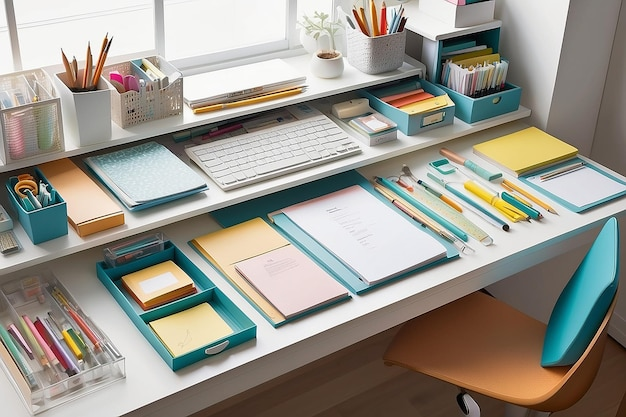
At first glance, it had all the right signals.
A wide surface. Dual monitors. A carefully chosen chair. Even a curated arrangement of accessories that suggested control, intention, maybe even discipline.
But something was off.
Work took longer than expected. Small tasks stretched. Focus came and went in uneven waves. Nothing failed outright—there was no obvious flaw to point to.
Just friction.
That’s the paradox of desk setups. The best ones rarely stand out. The worst ones don’t look wrong.
So the real question isn’t what looks good.
It’s this: What kind of desk setup actually supports sustained, efficient work without asking for attention in return?
The Myth of the “Perfect Setup”
Why One Size Doesn’t Work
There’s a persistent idea that the best desk setup is universal.
A specific layout. A certain type of chair. A prescribed number of monitors.
But work varies:
- Some tasks demand focus
- Others require movement
- Some rely on physical tools, others on digital systems
The More Useful Standard
The best desk setup is not defined by what it includes.
It’s defined by what it removes:
- Unnecessary movement
- Repeated decisions
- Physical discomfort
Efficiency is subtraction.
Step One: Anchor the Setup Around Your Primary Task
Not All Work Is Equal
Before choosing anything, identify:
- What do you do most often at your desk?
Writing, analysis, design, coordination—each requires a different emphasis.
Why This Matters
A setup designed for the wrong priority:
- Creates inefficiency
- Increases adjustments
- Interrupts flow
The desk should serve the task—not the other way around.
Step Two: Define the Core Zone
The Immediate Workspace
This is where your attention lives.
It should include:
- Your computer or laptop
- Input devices (keyboard, mouse)
- Essential tools used daily
The Rule
Everything in this zone must:
- Be used frequently
- Require immediate access
- Support your primary task
If not, it doesn’t belong here.
Step Three: Optimize Ergonomics Without Overthinking It
Comfort Is Structural
An effective setup supports:
- Neutral posture
- Proper screen height
- Comfortable arm positioning
Key Adjustments
- Screen at eye level
- Feet flat on the floor
- Wrists aligned with the keyboard
The Impact
Discomfort doesn’t always stop work.
It slows it.
Gradually.
Step Four: Control the Secondary Zone
The Supporting Area
This includes:
- Notebooks
- Reference materials
- Occasional tools
Placement Strategy
These items should:
- Be within reach, but not central
- Require minimal movement
- Avoid cluttering the core zone
Why It Works
Separation creates clarity.
Clarity supports focus.
Step Five: Limit Surface Clutter Intentionally
The False Comfort of Having Everything Visible
A desk filled with tools can feel prepared.
But it introduces:
- Visual noise
- Decision fatigue
- Reduced working space
The Better Approach
Keep only:
- Current task items
- Essential tools
- Minimal accessories
The Outcome
More space—both physical and mental.
A Lesson Learned: The Setup That Tried to Do Too Much
There was a time when my desk tried to accommodate everything.
Multiple notebooks. Extra devices. Backup tools within reach.
It felt efficient.
Until it wasn’t.
I spent more time navigating the setup than using it:
- Shifting items to make space
- Searching within organized chaos
- Adjusting constantly
The change wasn’t dramatic.
I removed half of what was there.
What remained was not impressive.
But it worked.
The lesson was simple: a desk setup fails when it tries to anticipate every need instead of supporting the most important ones.
Step Six: Integrate Digital Tools Thoughtfully
Avoid Redundant Systems
If you’re using:
- Microsoft Excel
- Google Docs
Then physical systems should:
- Complement—not duplicate—these tools
Example
If tasks are tracked digitally:
- Avoid parallel paper tracking
- Reduce unnecessary duplication
The Benefit
Fewer systems. Less confusion. Better alignment.
Step Seven: Manage Cables and Power
The Invisible Layer
Cables are often ignored until they interfere.
They:
- Tangle
- Limit movement
- Create visual clutter
Practical Solutions
- Use cable organizers
- Keep power sources accessible
- Minimize visible wiring
Why It Matters
Small disruptions accumulate.
Clean infrastructure supports uninterrupted work.
Step Eight: Lighting and Environmental Control
The Overlooked Variables
Lighting affects:
- Focus
- Eye strain
- Energy levels
Optimize It
- Position your desk near natural light if possible
- Use task lighting for precision work
- Avoid glare on screens
Additional Considerations
- Noise levels
- Temperature
- Air quality
These don’t announce themselves—but they influence everything.
Step Nine: Storage That Supports, Not Hides
The Role of Storage
Drawers and shelves should:
- Reduce surface clutter
- Keep items accessible
- Maintain organization
Avoid Overfilling
Storage becomes inefficient when:
- Items are stacked without structure
- Retrieval requires multiple steps
- Space is used without intention
The Goal
Out of sight—but not out of reach.
A Comparative Breakdown: Ineffective vs. Effective Desk Setup
| Element | Ineffective Setup | Effective Setup | Impact on Work |
|---|---|---|---|
| Layout | Unstructured | Task-focused | Clear workflow |
| Surface Use | Cluttered | Minimal | Better focus |
| Ergonomics | Ignored | Optimized | Sustained comfort |
| Tool Placement | Random | Zone-based | Faster access |
| Digital Integration | Redundant systems | Aligned tools | Reduced confusion |
| Environment | Uncontrolled | Managed | Consistent output |
Effectiveness comes from alignment—not complexity.
Step Ten: Adapt the Setup Over Time
Static Setups Lose Relevance
As work evolves:
- Tools change
- Tasks shift
- Priorities adjust
Ongoing Refinement
Observe:
- Where friction occurs
- What you reach for most
- What remains unused
Adjust Incrementally
Small changes:
- Improve efficiency
- Reduce interruptions
- Maintain alignment
The Subtle Skill: Reducing Friction Points
What Slows You Down
Friction appears as:
- Reaching too far
- Searching too long
- Adjusting too often
What the Best Setup Does
It:
- Anticipates frequent actions
- Minimizes movement
- Supports automatic behavior
The Result
Work flows without interruption.
Not because it’s easier—but because nothing gets in the way.
A Final Reflection: The Best Setup Is the One You Stop Noticing
It’s tempting to evaluate a desk setup by how it looks.
Clean lines. Coordinated elements. A sense of order that feels complete.
But the best setups don’t draw attention.
They disappear.
Which leads to a question worth asking:
Does your desk require you to adapt to it—or does it quietly adapt to you, removing obstacles before you notice them?
Because the difference is not visible in a photograph.
It’s visible in how your work unfolds—whether it moves forward smoothly, or hesitates in small, persistent ways that add up over time.
- Arts
- Business
- Computers
- Игры
- Health
- Главная
- Kids and Teens
- Деньги
- News
- Personal Development
- Recreation
- Regional
- Reference
- Science
- Shopping
- Society
- Sports
- Бизнес
- Деньги
- Дом
- Досуг
- Здоровье
- Игры
- Искусство
- Источники информации
- Компьютеры
- Личное развитие
- Наука
- Новости и СМИ
- Общество
- Покупки
- Спорт
- Страны и регионы
- World

 English
 French
 Spanish
 Portuguese
 Deutsch
 Turkish
 Dutch
Dutch
 Italiano
 Arabic
 Romaian
 Portuguese (Brazil)
 Greek
Greek