
Which Tools/Software Should We Use? Deciding on Platforms Like MS Project, Jira, Asana, Trello, etc.
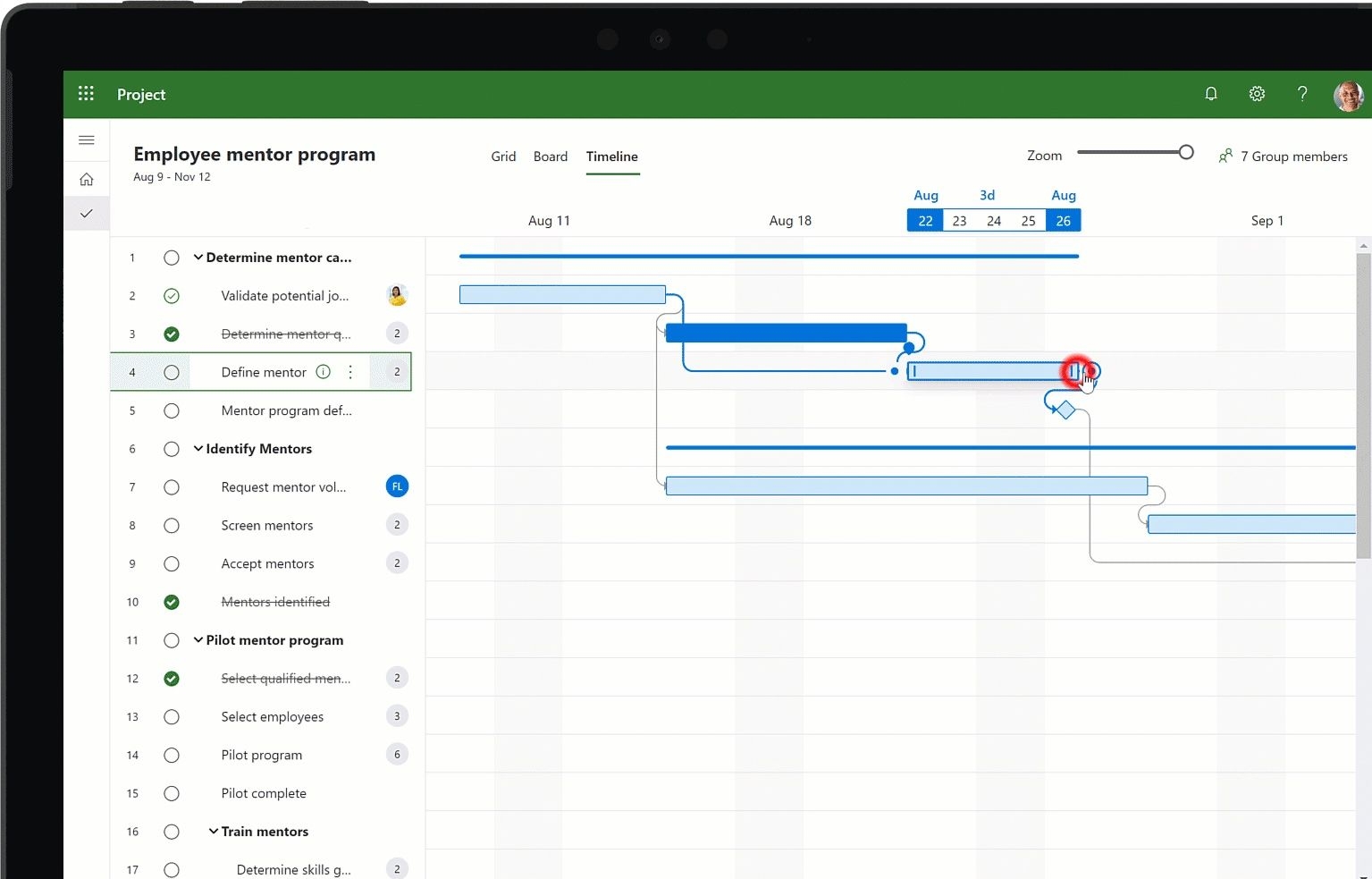
Choosing the right tools for project management is a critical decision that can greatly influence collaboration, productivity, and project outcomes. With a growing number of platforms available—each with its own strengths—it’s essential to match the tool to the team’s needs, project complexity, and workflow preferences.
Why Tool Selection Matters
The right project management software:
-
Streamlines communication and task tracking
-
Improves transparency and accountability
-
Centralizes documentation and project data
-
Enhances team collaboration, especially across remote or hybrid teams
Conversely, the wrong tool can lead to confusion, redundancy, and wasted time.
Popular Project Management Tools
Here’s a quick overview of some of the most widely used platforms:
-
Microsoft Project
Best for large, complex projects with detailed timelines and dependencies. Offers advanced Gantt chart functionality, resource allocation, and reporting tools. Ideal for experienced project managers. -
Jira
Popular among software development teams, especially in Agile environments. Supports sprint planning, issue tracking, and detailed reporting. Highly customizable but may be overwhelming for non-technical users. -
Asana
User-friendly with strong task management features. Offers lists, boards, calendars, and timeline views. Great for marketing, operations, and general project teams. Easy onboarding and good for cross-functional work. -
Trello
Known for its simplicity and visual appeal. Uses a Kanban-style board to manage tasks. Ideal for smaller teams or simpler projects that don’t require complex dependencies or resource tracking. -
ClickUp
All-in-one platform offering docs, tasks, goals, and time tracking. Highly customizable and scalable, making it a strong option for growing teams. -
Smartsheet
Combines the feel of a spreadsheet with project management capabilities. Excellent for teams comfortable with Excel but needing collaborative and visual project planning features.
Factors to Consider When Choosing
When selecting the best tool for your team or project, consider the following:
-
Project size and complexity – Complex projects may require robust features like timelines, dependencies, and resource tracking.
-
Team size and structure – Larger teams may need stronger permission controls and reporting capabilities.
-
Workflow methodology – Agile, Waterfall, or hybrid approaches may benefit from tools tailored to those styles.
-
Integration needs – Ensure the tool works with your existing systems (e.g., Slack, Google Workspace, GitHub).
-
Ease of use – A platform that's too complicated can slow adoption.
-
Budget – Consider licensing fees, especially for enterprise-level tools.
Getting Team Buy-In
Regardless of which tool is selected, successful implementation depends on user adoption. Involve team members in the decision-making process, provide training, and document workflows to ensure consistency.
Conclusion
There is no one-size-fits-all project management tool. The best choice depends on your team’s workflow, project demands, and user preferences. By evaluating your needs carefully and involving the team, you can select a platform that empowers productivity and drives project success.
- Arts
- Business
- Computers
- Juegos
- Health
- Home
- Kids and Teens
- Money
- News
- Personal Development
- Recreation
- Regional
- Reference
- Science
- Shopping
- Society
- Sports
- Бизнес
- Деньги
- Дом
- Досуг
- Здоровье
- Игры
- Искусство
- Источники информации
- Компьютеры
- Личное развитие
- Наука
- Новости и СМИ
- Общество
- Покупки
- Спорт
- Страны и регионы
- World

 English
 Russian
 French
 Portuguese
 Deutsch
 Turkish
 Dutch
Dutch
 Italiano
 Arabic
 Romaian
 Portuguese (Brazil)
 Greek
Greek
