
Can I Bring Over My Power BI Reports into Fabric?
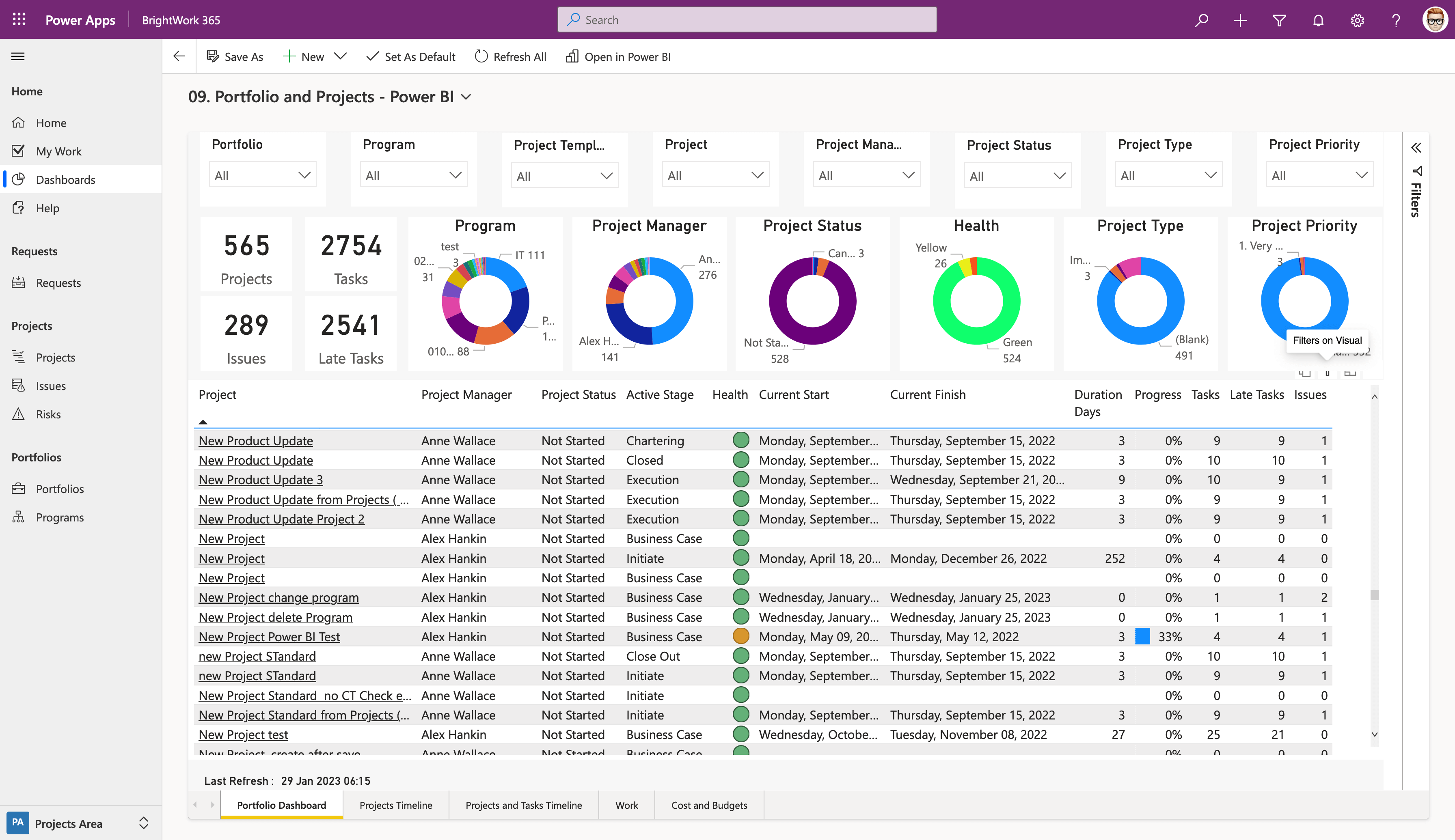
One of the most common questions business users ask when exploring Microsoft Fabric is: “Can I bring my existing Power BI reports into Fabric?” Since Power BI is deeply integrated into Microsoft’s data ecosystem, the good news is yes—you can. But there are some important details to understand about what transitions seamlessly and what may require adjustments.
Power BI and Fabric: A Natural Fit
Microsoft Fabric was designed with Power BI at its core. Power BI is not only supported but is also one of Fabric’s main workloads. This means:
-
All the features you use in Power BI today (dashboards, reports, DAX, visualizations) are fully available in Fabric.
-
You don’t lose your work—you can continue using existing reports.
-
Fabric enhances Power BI with better integration into data sources and data workflows.
Seamless Transition of Reports
If your reports are already in the Power BI Service, they automatically fit into Fabric’s architecture. Fabric recognizes and integrates these reports without requiring you to rebuild them.
-
Reports stay intact: Your visuals, datasets, and dashboards don’t disappear.
-
Workspaces remain usable: Existing Power BI workspaces continue to function in Fabric.
-
User permissions carry over: Sharing settings, roles, and access controls remain.
In short, Fabric is designed to respect the investments you’ve already made in Power BI.
Where Adjustments May Be Needed
Although most reports will transition smoothly, there are some scenarios where adjustments may be necessary:
-
Data Sources
-
Reports that pull data from sources not yet integrated into Fabric may require reconfiguration.
-
Fabric prefers that you centralize data into OneLake for better performance and governance.
-
-
Dataflows and Pipelines
-
Existing Power BI dataflows will continue to work, but Fabric offers new data engineering and pipeline tools that may encourage migration for efficiency.
-
-
Advanced Features
-
Fabric introduces new features like Direct Lake mode (faster queries from OneLake) and Lakehouses. Reports connected to these will require reconfiguration to fully benefit.
-
Benefits of Moving Reports into Fabric
Migrating your Power BI reports into Fabric doesn’t just keep your work intact—it also unlocks new advantages:
-
Unified Data Storage: Reports connected to OneLake gain consistency and speed.
-
Better Governance: Fabric centralizes security, compliance, and metadata management.
-
Performance Improvements: Features like Direct Lake allow real-time querying at scale.
-
Cross-Workload Integration: Reports can connect directly to Fabric’s Data Engineering, Real-Time Analytics, or Data Science outputs.
In other words, moving Power BI reports into Fabric makes them more powerful and scalable.
Example: Retail Company Migration
Imagine a retail company with dozens of Power BI reports showing:
-
Daily sales by store
-
Inventory levels
-
Customer satisfaction trends
When migrated to Fabric:
-
The sales data connects to OneLake, ensuring consistent numbers across all reports.
-
Inventory tracking ties into Fabric’s Data Engineering workload for better real-time updates.
-
Customer feedback can be integrated from multiple channels with improved governance.
This creates a single source of truth, where every report draws from the same high-quality data foundation.
Best Practices for Migrating Power BI Reports into Fabric
-
Audit Your Reports
-
Review current reports and identify key data sources.
-
Flag reports relying on complex or external pipelines.
-
-
Use OneLake Where Possible
-
Shift underlying datasets into Fabric’s OneLake to optimize performance.
-
-
Leverage Direct Lake Mode
-
Switch from import or DirectQuery where feasible—this enables faster, near real-time analysis.
-
-
Optimize Security and Governance
-
Review access controls to ensure they align with Fabric’s centralized security model.
-
-
Test Reports After Migration
-
Run performance tests and validate visuals to ensure accuracy.
-
Future Outlook: Power BI in Fabric
Microsoft has made it clear that:
-
Power BI is not going away—instead, it’s more deeply embedded within Fabric.
-
Expect new capabilities (AI-powered insights, tighter integration with Fabric’s workloads).
-
Power BI reports will increasingly serve as the front-end for Fabric analytics.
This means your investment in Power BI continues to pay off while gaining additional value from Fabric.
Final Thoughts
Yes, you can bring your Power BI reports into Microsoft Fabric, and in most cases, the process is seamless. Not only will your reports continue to work, but they’ll also benefit from Fabric’s unified data model, performance enhancements, and governance tools.
For organizations already using Power BI, adopting Fabric is less about migration and more about unlocking new possibilities for the reports you already rely on.
- Arts
- Business
- Computers
- Spiele
- Health
- Startseite
- Kids and Teens
- Geld
- News
- Personal Development
- Recreation
- Regional
- Reference
- Science
- Shopping
- Society
- Sports
- Бизнес
- Деньги
- Дом
- Досуг
- Здоровье
- Игры
- Искусство
- Источники информации
- Компьютеры
- Личное развитие
- Наука
- Новости и СМИ
- Общество
- Покупки
- Спорт
- Страны и регионы
- World

 English
 Russian
 French
 Spanish
 Portuguese
 Turkish
 Dutch
Dutch
 Italiano
 Arabic
 Romaian
 Portuguese (Brazil)
 Greek
Greek