
What Is a Remarketing Tag or Pixel? A Complete Guide to Tracking, Targeting, and Optimization
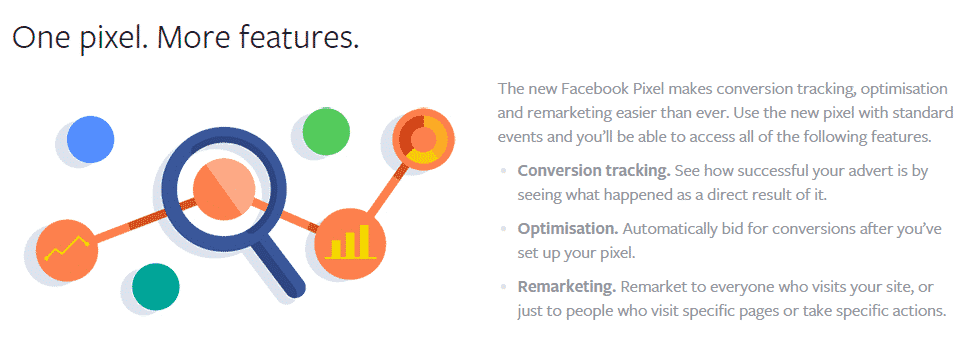
Every successful remarketing campaign begins with one essential element: the remarketing tag or pixel.
Without it, remarketing is impossible.
A remarketing tag—also called a tracking pixel—is the technology that allows advertisers to identify website visitors, record their behavior, and place them into targeting audiences. It is the bridge between user activity and advertising platforms.
In 2026, with stricter privacy regulations and evolving browser technologies, tags and pixels have become more advanced, secure, and privacy-conscious. However, their core function remains the same: collecting meaningful data for better advertising.
This article explains what a remarketing tag or pixel is, how it works, why it matters, how to install it, and how to use it effectively.
Understanding Remarketing Tags and Pixels
A remarketing tag or pixel is a small piece of code placed on a website or app that tracks user behavior.
It sends information to advertising platforms when users perform certain actions.
Despite the name “pixel,” it is not an actual image. It is usually a JavaScript snippet that runs in the background.
Its purpose is to:
-
Identify visitors
-
Track events
-
Build audiences
-
Measure conversions
-
Enable personalization
Why Remarketing Tags Matter
Without tags, platforms cannot:
-
Recognize returning users
-
Create remarketing audiences
-
Track conversions
-
Optimize campaigns
-
Measure ROI
Tags turn anonymous traffic into actionable data.
How a Remarketing Pixel Works
The basic process follows these steps:
-
User visits a tagged page
-
The pixel loads invisibly
-
Data is sent to the platform
-
Cookie or ID is stored
-
User enters an audience list
-
Ads are delivered later
All of this happens in milliseconds.
Types of Remarketing Tags
Google Tag
Used for Google Ads and Analytics.
Tracks:
-
Page views
-
Events
-
Conversions
Supports advanced segmentation.
Meta Pixel
Used for Facebook and Instagram ads.
Tracks:
-
Page visits
-
Purchases
-
Leads
-
Engagement
Strong for social remarketing.
LinkedIn Insight Tag
Used for B2B targeting.
Tracks professional audience behavior.
TikTok Pixel
Used for video-focused remarketing.
Tracks engagement and conversions.
Programmatic Pixels
Used by DSPs and ad networks.
Enable large-scale remarketing.
First-Party vs Third-Party Pixels
First-Party Pixels
Installed on your domain.
Owned by your business.
More privacy-friendly.
Better reliability.
Third-Party Pixels
Installed by external vendors.
Less reliable.
More restricted.
Declining in use.
Events Tracked by Pixels
Pixels record specific user actions.
Common events include:
-
PageView
-
ViewContent
-
AddToCart
-
InitiateCheckout
-
Purchase
-
Lead
-
SignUp
-
Download
Custom events can be created.
Remarketing Tags vs Analytics Tags
Many confuse these two.
| Feature | Remarketing Tag | Analytics Tag |
|---|---|---|
| Purpose | Targeting | Measurement |
| Audience Building | Yes | Limited |
| Ad Integration | Yes | No |
| Conversion Tracking | Yes | Yes |
| Campaign Optimization | Yes | Limited |
Modern systems often combine both.
Installing a Remarketing Tag
Step 1: Generate the Tag
Create it inside your ad platform.
Example: Google Ads → Audience Manager → Tag.
Step 2: Add Code to Website
Place code in:
-
Header
-
Tag manager
-
CMS plugins
Most use Google Tag Manager.
Step 3: Configure Events
Set up standard and custom events.
Map them to funnel stages.
Step 4: Test Installation
Use tools like:
-
Tag Assistant
-
Pixel Helper
-
Debug mode
Ensure data is firing correctly.
Step 5: Publish and Monitor
Activate tracking.
Check data daily.
Using Tag Managers
Tag managers simplify tracking.
Popular options:
-
Google Tag Manager
-
Tealium
-
Adobe Launch
Benefits include:
-
Central control
-
Faster updates
-
Reduced errors
-
Better security
Server-Side Tracking and Pixels
In 2026, server-side tracking is growing.
Instead of browsers, servers send data.
Benefits:
-
Better data accuracy
-
Improved privacy control
-
Reduced ad blockers
-
Faster load times
Many businesses now combine both methods.
Privacy and Consent Management
Pixels must follow privacy laws.
Requirements include:
-
Cookie consent banners
-
Opt-in systems
-
Data policies
-
User control
Platforms enforce compliance.
Non-compliance risks account suspension.
Common Pixel Errors
Duplicate Tags
Causes inflated data.
Missing Events
Reduces audience quality.
Incorrect Placement
Breaks tracking.
Delayed Loading
Misses interactions.
No Consent Integration
Legal risk.
Best Practices for Remarketing Tags
-
Use tag managers
-
Track meaningful events
-
Validate regularly
-
Document setup
-
Secure data
-
Respect user privacy
Example: E-Commerce Pixel Setup
An online electronics store installs:
-
PageView on all pages
-
ViewContent on products
-
AddToCart on cart
-
Purchase on checkout
This enables:
-
Product remarketing
-
Cart recovery
-
Loyalty campaigns
Results:
-
Better targeting
-
Higher ROAS
-
Lower CPA
How Pixels Enable Advanced Targeting
With proper setup, pixels support:
-
Funnel segmentation
-
Dynamic ads
-
Value-based bidding
-
Lookalike audiences
-
Cross-device targeting
They power modern advertising systems.
The Future of Remarketing Tags
Emerging developments include:
-
Privacy Sandbox APIs
-
First-party identifiers
-
Server-side tagging
-
AI-based modeling
-
Zero-party data integration
Pixels are evolving, not disappearing.
Myths About Remarketing Pixels
“Pixels Spy on Users”
They track behavior, not identities.
“They Are Obsolete”
They remain essential.
“They Slow Down Websites”
Modern pixels are lightweight.
“Only Big Brands Use Them”
Small businesses benefit too.
When You Don’t Need a Pixel
Rare cases include:
-
No website
-
Offline-only businesses
-
Platform-only selling
Most online businesses need pixels.
Conclusion
A remarketing tag or pixel is the foundation of every re-engagement campaign. It collects behavioral data, builds targeting audiences, tracks conversions, and enables personalized advertising.
In 2026, with privacy-first frameworks and advanced server-side technologies, pixels have become more secure, reliable, and valuable. Businesses that implement and manage them properly gain a powerful advantage in digital marketing.
Without accurate tracking, remarketing cannot succeed. With it, brands can turn visitor data into long-term growth.
- Arts
- Business
- Computers
- Games
- Health
- Home
- Kids and Teens
- Money
- News
- Personal Development
- Recreation
- Regional
- Reference
- Science
- Shopping
- Society
- Sports
- Бизнес
- Деньги
- Дом
- Досуг
- Здоровье
- Игры
- Искусство
- Источники информации
- Компьютеры
- Личное развитие
- Наука
- Новости и СМИ
- Общество
- Покупки
- Спорт
- Страны и регионы
- World

 Russian
 French
 Spanish
 Portuguese
 Deutsch
 Turkish
 Dutch
Dutch
 Italiano
 Arabic
 Romaian
 Portuguese (Brazil)
 Greek
Greek