
How do I create a minimalist workspace?
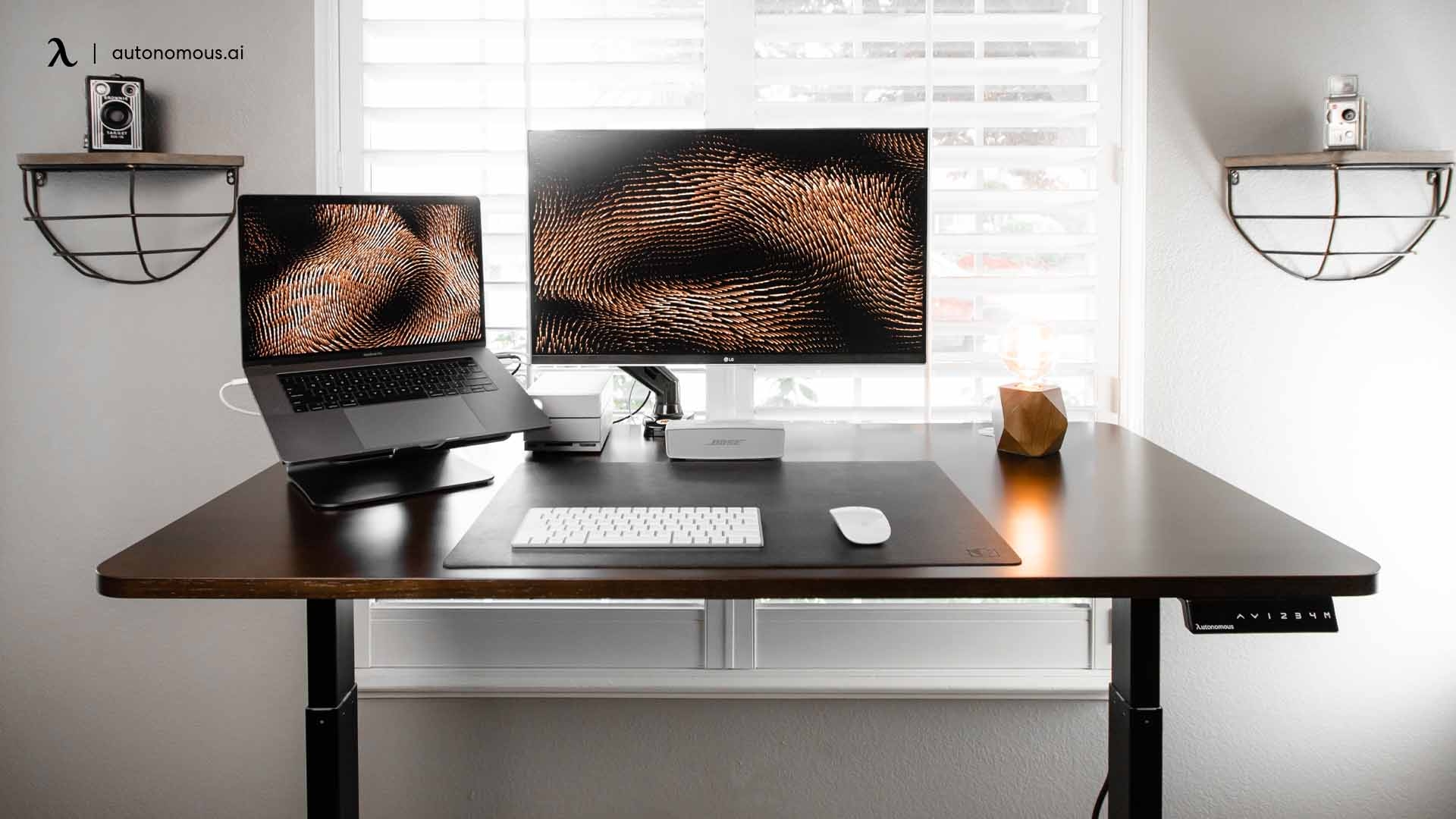
How Do I Create a Minimalist Workspace?
A minimalist workspace is not simply a “clean desk.” It is a deliberately designed environment that reduces cognitive friction, minimizes distractions, and supports sustained focus. The core idea is not aesthetic emptiness, but functional clarity: everything in the workspace should either support the work being done or be removed.
In cognitive terms, a cluttered workspace increases “visual noise,” which competes for attention and reduces working memory efficiency. A minimalist workspace, by contrast, reduces unnecessary stimuli, allowing the brain to allocate more resources to the task at hand.
Creating such a workspace involves more than tidying up. It requires understanding how environment shapes attention, decision-making, and mental fatigue.
1. What a Minimalist Workspace Actually Means
A minimalist workspace is defined by three core principles:
1. Purpose-driven design
Every item in the workspace must have a clear function related to work.
2. Reduced cognitive load
The environment should not force the brain to process unnecessary visual or physical information.
3. Intentional simplicity
The space is not empty for aesthetic reasons—it is simplified to improve performance.
A minimalist workspace is therefore not about having “less stuff,” but about having only what is necessary for focused work.
2. Why Workspace Minimalism Improves Focus
The connection between environment and focus is rooted in cognitive psychology.
The brain has limited attentional resources. When surrounded by clutter:
-
Visual stimuli compete for attention
-
Working memory becomes overloaded
-
Task switching increases
-
Cognitive fatigue rises faster
This is known as extraneous cognitive load—mental effort spent processing irrelevant information.
A minimalist workspace reduces this load, which leads to:
-
Faster task initiation
-
Improved sustained attention
-
Reduced mental fatigue
-
Better decision-making clarity
In short, the less your environment demands attention, the more attention you can allocate to meaningful work.
3. Step One: Define the Purpose of the Workspace
Before removing or adding anything, you must define what the workspace is for.
Ask:
-
What types of tasks do I perform here?
-
Do I need deep focus, communication, or creative thinking?
-
What tools are essential for these tasks?
A workspace designed for coding, for example, requires:
-
Computer
-
Input devices
-
Possibly reference materials
It does not require unrelated objects, decorative clutter, or multitasking distractions.
Purpose defines boundaries. Without purpose, minimalism becomes arbitrary.
4. Step Two: Remove Everything Non-Essential
The first physical step in creating a minimalist workspace is removal.
This includes:
-
Old papers and documents not currently in use
-
Unused gadgets or accessories
-
Decorative items that do not serve function
-
Excess stationery or tools
-
Duplicate items
A useful rule:
If you haven’t used it in the last 30 days for work, it does not belong on the desk.
This step reduces visual noise and immediately improves cognitive clarity.
Importantly, removal is not permanent elimination—it is relocation to storage, ensuring access without visual clutter.
5. Step Three: Keep Only Core Functional Tools
A minimalist workspace should contain only essential tools required for daily work.
Typical essentials include:
-
Primary device (laptop or desktop)
-
Keyboard and mouse (if needed)
-
Notebook or digital note system
-
One writing instrument
-
Possibly one reference item
Everything else must justify its presence.
Each item should pass this test:
Does this directly contribute to completing my primary tasks?
If not, it introduces unnecessary cognitive load.
6. Step Four: Optimize Desk Layout for Cognitive Flow
Minimalism is not only about quantity—it is also about spatial organization.
A well-designed workspace layout reduces physical and mental friction.
Key principles:
1. Clear central workspace
The main working area should be free of obstruction.
2. Proximity hierarchy
Frequently used items should be within easy reach; rarely used items should be stored away.
3. Visual simplicity
Avoid overlapping objects or stacked clutter in the field of view.
4. Consistent placement
Items should always return to the same location to reduce decision-making.
A predictable layout reduces micro-decisions, which preserves cognitive energy for actual work.
7. Step Five: Reduce Visual Distractions
Visual clutter is one of the most underestimated productivity barriers.
Examples include:
-
Too many objects on the desk
-
Bright or competing colors
-
Random papers or notes
-
Excess decorative elements
Each visual element competes for attention, even unconsciously.
To reduce visual distractions:
-
Use neutral colors
-
Keep surfaces mostly empty
-
Store items in drawers or closed containers
-
Limit visible objects to essential tools only
The goal is to create a visually “quiet” environment that does not compete with cognitive tasks.
8. Step Six: Control Digital Clutter
A minimalist physical workspace is not enough if digital clutter remains unmanaged.
Digital clutter includes:
-
Too many open tabs
-
Disorganized files
-
Constant notifications
-
Multiple competing applications
These create cognitive fragmentation similar to physical clutter.
Strategies:
-
Close unnecessary tabs regularly
-
Organize files into clear folder structures
-
Disable non-essential notifications
-
Use full-screen or focus modes when working
Digital minimalism is an extension of physical minimalism.
9. Step Seven: Lighting and Environmental Simplicity
Lighting plays a major role in cognitive performance.
A minimalist workspace benefits from:
-
Natural light when possible
-
Soft, consistent artificial lighting
-
Avoidance of harsh or flickering lights
Overly complex lighting setups can introduce subtle distractions.
The goal is not aesthetic design, but stable sensory conditions that support sustained attention.
10. Step Eight: Noise Management
Auditory distractions are just as disruptive as visual ones.
To maintain a minimalist auditory environment:
-
Reduce background noise where possible
-
Use noise-canceling headphones if necessary
-
Avoid constantly changing sound environments
Some people benefit from consistent background sounds (e.g., white noise), but the key principle is stability.
Unpredictable noise changes are more disruptive than consistent background sound.
11. Step Nine: Create a “Reset Habit”
Minimalism is not only about setup—it is about maintenance.
Without habits, clutter gradually returns.
A simple reset routine might include:
-
Clearing the desk at the end of the day
-
Returning all items to designated places
-
Closing digital workspaces
-
Preparing the desk for the next session
This prevents accumulation of visual and cognitive clutter over time.
A minimalist workspace is maintained, not created once.
12. Step Ten: Avoid Over-Minimalism
A common mistake is excessive minimalism, where the workspace becomes too empty or impractical.
Problems include:
-
Lack of necessary tools within reach
-
Constant interruptions to retrieve items
-
Reduced functional efficiency
Minimalism should support productivity, not hinder it.
The goal is:
Minimum distraction, maximum functionality.
Not emptiness for its own sake.
13. Psychological Effects of a Minimalist Workspace
A well-designed minimalist workspace influences the mind in several ways:
1. Reduced cognitive load
Less environmental information to process.
2. Improved task initiation
Fewer barriers to starting work.
3. Increased perceived control
A structured environment creates mental order.
4. Reduced stress
Less visual chaos reduces subconscious tension.
These effects accumulate over time, improving both focus and mental clarity.
14. Minimalism as a Behavioral System
A minimalist workspace is not a one-time setup—it is a behavioral system.
It requires:
-
Consistent maintenance habits
-
Intentional decision-making about new items
-
Awareness of clutter accumulation
-
Periodic reassessment of workspace needs
Without these behaviors, minimalism degrades over time.
Conclusion
Creating a minimalist workspace is fundamentally about designing an environment that supports cognitive efficiency. It reduces distractions, lowers mental load, and enables sustained focus by ensuring that every element in the space serves a clear purpose.
The key principles include:
-
Removing non-essential items
-
Keeping only functional tools
-
Reducing visual and digital clutter
-
Optimizing layout for workflow
-
Maintaining consistency through daily habits
-
Avoiding both clutter and excessive minimalism
Ultimately, a minimalist workspace is not an aesthetic choice—it is a cognitive optimization strategy. By simplifying the environment, you simplify the mind’s task of attention management, allowing for deeper, more sustained, and more effective work.
- Arts
- Business
- Computers
- Oyunlar
- Health
- Home
- Kids and Teens
- Money
- News
- Personal Development
- Recreation
- Regional
- Reference
- Science
- Shopping
- Society
- Sports
- Бизнес
- Деньги
- Дом
- Досуг
- Здоровье
- Игры
- Искусство
- Источники информации
- Компьютеры
- Личное развитие
- Наука
- Новости и СМИ
- Общество
- Покупки
- Спорт
- Страны и регионы
- World

 English
 Russian
 French
 Spanish
 Portuguese
 Deutsch
 Dutch
Dutch
 Italiano
 Arabic
 Romaian
 Portuguese (Brazil)
 Greek
Greek