
What Is Zapier and How Does It Work?
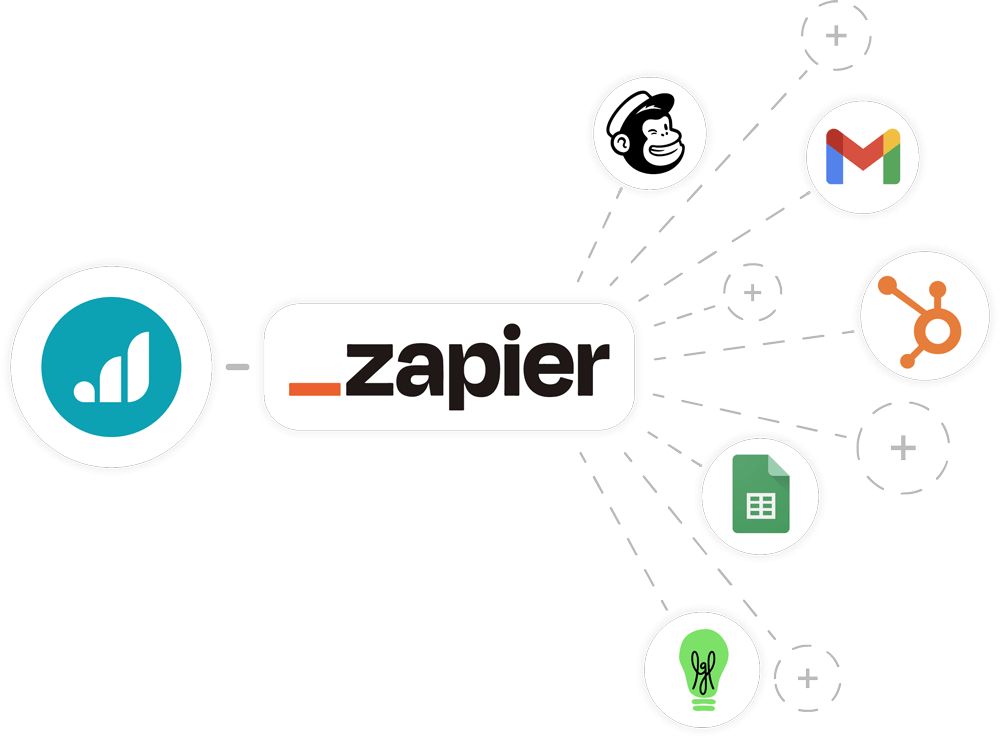
In today’s digital workplace, employees often use multiple apps and tools for different tasks—email, file storage, project management, communication, and more. Managing all these tools manually can be time-consuming and inefficient. This is where Zapier becomes extremely valuable.
Zapier is a powerful automation platform that connects different apps and automates workflows without requiring coding skills. It helps businesses and individuals save time, reduce repetitive work, and improve productivity.
Understanding Zapier
Zapier is a cloud-based tool that allows users to connect different applications and automate tasks between them.
It works by creating automated workflows called “Zaps.”
Each Zap consists of:
- A trigger (an event that starts the automation)
- One or more actions (tasks performed automatically)
For example, when you receive an email (trigger), Zapier can automatically save attachments to cloud storage (action).
Why Zapier Is Important
Zapier is important because it eliminates the need to manually move data between apps.
It helps:
- Save time
- Reduce repetitive tasks
- Improve efficiency
- Minimize errors
It allows different tools to “talk” to each other seamlessly.
How Zapier Works
Zapier works through a simple process:
Step 1: Choose a Trigger
A trigger is the event that starts the automation.
Examples include:
- Receiving a new email
- Adding a new file
- Submitting a form
Step 2: Define an Action
An action is what Zapier does after the trigger.
Examples include:
- Sending an email
- Saving data
- Creating a task
Step 3: Connect Apps
Zapier connects apps together.
For example:
- Email → Spreadsheet
- Form → Database
- Calendar → Task manager
Step 4: Run the Zap Automatically
Once set up, the Zap runs automatically whenever the trigger occurs.
No manual work is required.
Examples of Zapier Automation
Zapier can automate many everyday office tasks.
Email to Spreadsheet Automation
When you receive an email, Zapier can:
- Extract data
- Add it to Microsoft Excel
This eliminates manual data entry.
Form Submissions to Email Notifications
When someone fills out a form:
- Zapier sends an email notification via Microsoft Outlook
This ensures quick responses.
File Management Automation
When a file is uploaded:
- Zapier can save it to cloud storage
This improves organization.
Task Management Automation
Zapier can create tasks automatically in project tools.
For example:
- New email → Create task in project manager
This improves workflow efficiency.
Social Media Automation
Zapier can:
- Schedule posts
- Share content automatically
This saves time for marketing teams.
Popular Apps That Work with Zapier
Zapier integrates with thousands of apps.
Some popular ones include:
- Microsoft Outlook
- Microsoft Excel
- Slack
- Google Drive
This flexibility makes it highly versatile.
Benefits of Using Zapier
Saves Time
Automation reduces manual work, allowing employees to focus on important tasks.
Improves Productivity
By automating repetitive tasks, productivity increases significantly.
Reduces Errors
Automation ensures accuracy by eliminating manual input mistakes.
Simplifies Workflows
Zapier connects apps and simplifies processes.
No Coding Required
Zapier is user-friendly and does not require programming skills.
Types of Zaps
Single-Step Zaps
These include:
- One trigger
- One action
Example: New email → Save attachment.
Multi-Step Zaps
These include:
- One trigger
- Multiple actions
Example: New form submission → Send email → Save data → Create task.
Real-Life Use Cases
Zapier is used in many industries.
Examples include:
- HR: Automating employee onboarding
- Sales: Tracking leads
- Marketing: Managing campaigns
- Administration: Organizing tasks and communication
These applications improve efficiency.
How Zapier Improves Office Work
Zapier enhances office productivity by:
- Connecting tools
- Automating workflows
- Reducing manual effort
It is especially useful for administrative roles.
Integration with Microsoft Tools
Zapier works well with Microsoft tools.
For example:
- Emails from Microsoft Outlook can trigger actions
- Data can be stored in Microsoft Excel
This improves workflow automation.
Zapier vs Manual Work
Manual work:
- Time-consuming
- Error-prone
- Repetitive
Zapier automation:
- Fast
- Accurate
- Efficient
Automation clearly provides advantages.
Challenges of Using Zapier
Despite its benefits, Zapier has some challenges:
- Learning how to set up workflows
- Managing multiple Zaps
- Cost for advanced features
However, these challenges are manageable.
Tips for Using Zapier Effectively
To get the most out of Zapier:
- Start with simple automations
- Test workflows before using them
- Keep processes organized
- Monitor performance regularly
These practices ensure success.
Security Considerations
When using Zapier:
- Protect your accounts
- Use secure connections
- Avoid sharing sensitive data unnecessarily
Security is important in automation.
Future of Zapier and Automation
Automation tools like Zapier are evolving rapidly.
Future developments may include:
- AI-powered workflows
- Smarter integrations
- Advanced automation features
Automation will become even more powerful.
Benefits for Small Businesses
Zapier is especially useful for small businesses.
It helps them:
- Save time
- Reduce costs
- Compete with larger organizations
Automation levels the playing field.
Comparison with Other Tools
Zapier is often compared to tools like:
- Microsoft Power Automate
Both offer automation, but Zapier is known for its simplicity and wide integrations.
Common Mistakes to Avoid
Avoid these mistakes:
- Overcomplicating workflows
- Not testing Zaps
- Ignoring updates
Proper setup ensures effectiveness.
Conclusion
Zapier is a powerful and user-friendly automation tool that connects different applications and automates repetitive tasks. By creating workflows called Zaps, users can streamline processes, save time, and improve productivity without needing coding skills.
Whether you are managing emails, organizing data, or automating workflows, Zapier is an essential tool for modern office environments. As automation continues to grow, tools like Zapier will play a key role in shaping the future of work.
- Arts
- Business
- Computers
- Spiele
- Health
- Startseite
- Kids and Teens
- Geld
- News
- Personal Development
- Recreation
- Regional
- Reference
- Science
- Shopping
- Society
- Sports
- Бизнес
- Деньги
- Дом
- Досуг
- Здоровье
- Игры
- Искусство
- Источники информации
- Компьютеры
- Личное развитие
- Наука
- Новости и СМИ
- Общество
- Покупки
- Спорт
- Страны и регионы
- World

 English
 Russian
 French
 Spanish
 Portuguese
 Turkish
 Dutch
Dutch
 Italiano
 Arabic
 Romaian
 Portuguese (Brazil)
 Greek
Greek