
Does Automation Replace Jobs?
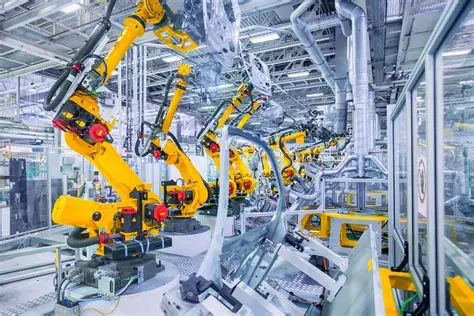
This is one of the most common and important questions about automation—and the honest answer is: automation changes jobs more than it completely replaces them.
While some repetitive roles may decrease, automation also creates new opportunities, improves working conditions, and shifts the focus of human work toward more valuable and meaningful tasks.
Understanding the Impact of Automation on Jobs
Automation uses tools like Zapier and Microsoft Power Automate to handle repetitive tasks.
This includes:
- Data entry
- Report generation
- Email responses
- File organization
These are tasks—not entire jobs.
Tasks vs Jobs: The Key Difference
Automation replaces tasks, not complete roles.
For example:
- An office administrator doesn’t only enter data
- They also communicate, plan, solve problems, and make decisions
Automation handles the repetitive parts, while humans handle the complex ones.
Jobs Most Affected by Automation
Jobs that involve repetitive and predictable tasks are more likely to be affected.
Examples include:
- Data entry clerks
- Basic administrative roles
- Routine processing jobs
However, even in these roles, automation usually supports rather than fully replaces workers.
Jobs That Are Less Likely to Be Replaced
Roles that require human skills are much harder to automate.
These include:
- Communication
- Creativity
- Decision-making
- Problem-solving
Automation cannot fully replace human thinking and interaction.
How Automation Changes Jobs
Instead of eliminating jobs, automation:
- Reduces repetitive work
- Changes job responsibilities
- Requires new skills
Employees shift from manual tasks to more strategic roles.
Creation of New Jobs
Automation also creates new job opportunities.
Examples include:
- Automation specialists
- Data analysts
- IT support roles
- Workflow designers
As technology grows, new careers emerge.
Increased Demand for Skills
Automation increases the need for:
- Digital skills
- Analytical thinking
- Technical knowledge
Tools like Microsoft Excel and automation platforms are becoming essential skills.
Real-Life Example
Before automation:
- An employee spends hours entering data
After automation:
- The system enters data automatically
- The employee analyzes the data and makes decisions
The job evolves rather than disappears.
Benefits for Employees
Automation can improve work life by:
- Reducing repetitive tasks
- Lowering stress
- Allowing focus on meaningful work
This can make jobs more interesting and rewarding.
Concerns About Job Loss
It’s true that some roles may decrease.
However:
- New roles are created
- Skills can be updated
- Workers can adapt
History shows that technology often creates more opportunities than it removes.
Importance of Upskilling
To stay relevant, employees should:
- Learn automation tools
- Improve digital skills
- Adapt to new technologies
Upskilling is key to job security.
Role of Education and Training
Training programs help workers:
- Learn new tools
- Understand automation
- Transition into new roles
Continuous learning is essential.
Automation as a помощник (Assistant)
Think of automation as a помощник (assistant), not a replacement.
It helps:
- Speed up work
- Reduce errors
- Improve efficiency
Humans still control and manage the systems.
Business Perspective
From a business point of view, automation:
- Improves efficiency
- Reduces costs
- Increases productivity
But businesses still need skilled employees to operate and manage systems.
Human Skills That Remain Essential
Even in automated environments, humans are needed for:
- Leadership
- Communication
- Creativity
- Emotional intelligence
These skills cannot be replaced by machines.
Future of Jobs and Automation
The future will likely include:
- More automation
- More digital roles
- More flexible work
Jobs will evolve, not disappear completely.
Common Misconceptions
Some people think:
- “Automation will take all jobs” → ❌ Not true
- “Humans won’t be needed” → ❌ Not true
Automation changes how we work, not whether we work.
How to Stay Safe from Job Loss
You can protect your career by:
- Learning automation tools
- Developing new skills
- Staying adaptable
This makes you more valuable in the workplace.
Balance Between Humans and Automation
The best results come from combining:
- Human intelligence
- Automated efficiency
Together, they create better outcomes.
Conclusion
Automation does not completely replace jobs—it transforms them. By handling repetitive tasks, tools like Zapier and Microsoft Power Automate allow employees to focus on more important and meaningful work.
The key to success in an automated world is simple: adapt, learn, and grow with technology.
- Arts
- Business
- Computers
- Jeux
- Health
- Domicile
- Kids and Teens
- Argent
- News
- Personal Development
- Recreation
- Regional
- Reference
- Science
- Shopping
- Society
- Sports
- Бизнес
- Деньги
- Дом
- Досуг
- Здоровье
- Игры
- Искусство
- Источники информации
- Компьютеры
- Личное развитие
- Наука
- Новости и СМИ
- Общество
- Покупки
- Спорт
- Страны и регионы
- World

 English
 Russian
 Spanish
 Portuguese
 Deutsch
 Turkish
 Dutch
Dutch
 Italiano
 Arabic
 Romaian
 Portuguese (Brazil)
 Greek
Greek