
What Are the Best SaaS Integration Tools?
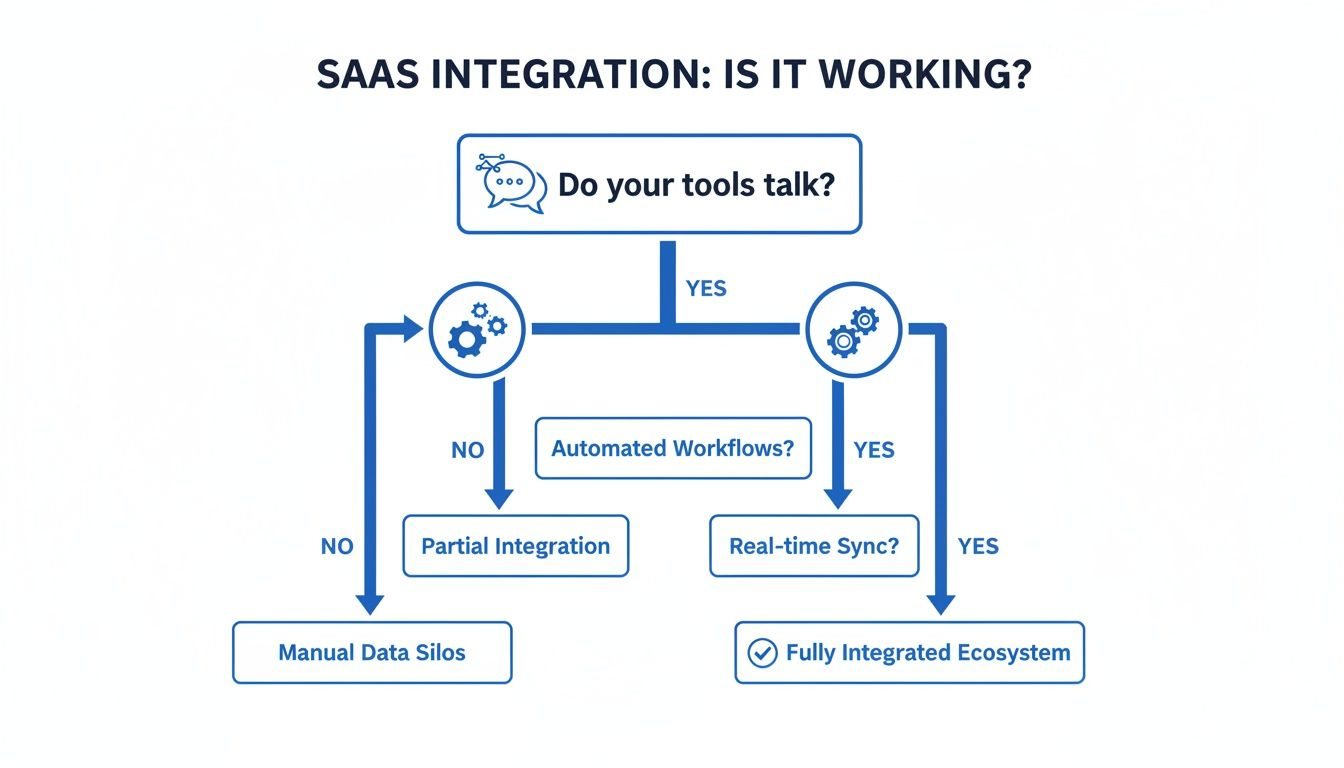
The first sign of a broken software ecosystem is rarely a failed application.
It is usually a spreadsheet.
A spreadsheet passed between departments. A spreadsheet downloaded from one system and uploaded into another. A spreadsheet that quietly becomes the unofficial bridge connecting platforms that were never designed to communicate.
At first, this seems harmless.
A few manual exports.
A few data adjustments.
A few hours spent reconciling information.
Then the organization grows.
The number of applications increases.
The volume of data expands.
The process that once required one employee for an hour now requires an entire team for days.
This is where SaaS integration tools enter the conversation.
They exist to solve a problem that has become almost unavoidable: businesses now rely on dozens, sometimes hundreds, of software applications, yet those applications rarely operate perfectly together without assistance.
I witnessed this challenge firsthand during a technology modernization effort involving multiple business systems. The company had invested heavily in best-in-class software. Each platform performed its individual role well.
The problem was connection.
Marketing had one view of customers. Sales had another. Finance maintained its own records. Operations relied on separate workflows.
No single system was failing.
The ecosystem was failing.
The solution was not another application.
It was integration.
That experience changed how I evaluate software environments. The question is no longer simply, "What can this tool do?"
The better question is:
"How well can this tool communicate with everything else?"
That is the purpose of SaaS integration tools.
What Are SaaS Integration Tools?
SaaS integration tools are platforms that connect cloud-based applications, allowing them to exchange data, automate workflows, and coordinate business processes.
They act as intermediaries between software systems.
A customer submits information through one platform.
An integration tool transfers that information to another.
A workflow begins automatically.
A notification appears.
A record updates.
The process continues without human intervention.
The concept sounds simple.
The underlying technology can be remarkably sophisticated.
Modern integration tools manage:
- Data synchronization
- Workflow automation
- Application connectivity
- Error handling
- Security controls
- Data transformation
Their purpose is not replacing software.
Their purpose is helping software work together.
Why Businesses Need SaaS Integration Tools
The average organization rarely operates a single application.
A typical technology environment may include:
- CRM software
- ERP systems
- Marketing platforms
- Customer support tools
- Accounting applications
- HR software
- Analytics platforms
- Collaboration tools
Each application contains valuable information.
The challenge is making that information available where and when it is needed.
Without integration, businesses often experience:
- Duplicate data entry
- Inconsistent records
- Manual reporting
- Delayed workflows
- Limited visibility
Integration tools reduce these problems by creating connections between systems.
The Hidden Value of Automation
The most significant benefit is often not speed.
It is consistency.
Humans are adaptable.
They are also unpredictable.
Manual processes create opportunities for:
- Mistakes
- Delays
- Forgotten updates
- Incomplete information
Automation creates repeatable processes.
And repeatable processes create reliability.
The Main Types of SaaS Integration Tools
Not all integration platforms solve the same problems.
Some are designed for business users.
Others are built for enterprise engineering teams.
Understanding the differences helps organizations choose effectively.
SaaS Integration Tool Comparison
| Tool Category | Best For | Technical Skill Required | Typical Use Case | Scalability |
|---|---|---|---|---|
| iPaaS Platforms | Enterprise integrations | Medium to High | Complex workflows | High |
| No-Code Automation Tools | Business automation | Low | Department workflows | Medium |
| API Management Platforms | Developer integrations | High | Custom applications | Very High |
| Data Integration Platforms | Analytics and migration | Medium to High | Data pipelines | High |
| Native Connectors | Simple integrations | Low | Common SaaS connections | Medium |
Each category serves a different audience.
A marketing manager automating lead notifications has different needs from an enterprise architect connecting dozens of business-critical systems.
iPaaS: The Enterprise Integration Standard
Integration Platform as a Service, commonly called iPaaS, has become one of the most important categories in SaaS integration.
These platforms provide cloud-based environments for building, managing, and monitoring integrations.
They are designed for organizations with complex application ecosystems.
Why iPaaS Platforms Matter
Traditional integration approaches often required custom coding for every connection.
That model became increasingly difficult as organizations adopted more SaaS applications.
iPaaS platforms simplify the process by offering:
- Prebuilt connectors
- Workflow builders
- Monitoring dashboards
- Data mapping tools
- Security controls
They create a centralized integration layer.
Popular iPaaS Platforms
Some widely used SaaS integration platforms include:
- MuleSoft
- Workato
- Boomi
- SnapLogic
- Zapier
Each platform approaches integration differently.
Some prioritize enterprise governance.
Others emphasize simplicity and speed.
No-Code SaaS Integration Tools
Not every integration requires a development team.
Many business users need to connect applications quickly without writing code.
This is where no-code automation tools have become popular.
Platforms such as Zapier allow users to create automated workflows between applications.
For example:
A customer fills out a form.
The information enters a CRM.
A notification is sent to a sales representative.
A task is created automatically.
No developer required.
The Strength of Simplicity
No-code tools succeed because they reduce technical barriers.
They allow departments to solve smaller workflow problems independently.
Marketing teams.
Operations teams.
Sales teams.
Human resources teams.
Each can automate processes without waiting for engineering resources.
The Limitation
Simplicity has boundaries.
Complex enterprise workflows often require more advanced integration capabilities.
A tool that works beautifully for ten automated tasks may struggle with hundreds of interconnected systems.
API Management Platforms
Large organizations often require more control over integrations.
This is where API management platforms become important.
These tools help companies create, secure, monitor, and govern APIs.
They are especially valuable when organizations:
- Build custom applications
- Share data externally
- Manage developer ecosystems
- Require strict security policies
API management is less about connecting existing SaaS tools and more about controlling how systems communicate at scale.
Data Integration Platforms
Sometimes the challenge is not workflow automation.
It is information movement.
Organizations with large amounts of data often need platforms designed specifically for data integration.
These tools help with:
- Data extraction
- Transformation
- Loading processes
- Analytics pipelines
- Data warehouse connections
They are particularly important for organizations building advanced reporting and business intelligence capabilities.
How to Choose the Right SaaS Integration Tool
The best integration tool depends less on popularity and more on context.
A small company connecting a few applications does not need the same solution as a multinational organization managing hundreds of systems.
Several questions should guide the decision.
Question 1: How Complex Is the Environment?
Count the applications requiring connection.
Three applications?
A lightweight automation tool may work.
Fifty applications?
A dedicated integration platform may be necessary.
Complexity determines requirements.
Question 2: Who Will Manage Integrations?
This question is often overlooked.
The technology matters.
The people managing it matter more.
Consider:
- Business users
- IT teams
- Developers
- External consultants
A technically powerful platform that nobody can effectively manage creates new problems.
Question 3: How Important Is Real-Time Data?
Not every process requires immediate synchronization.
Some workflows can update hourly.
Others require instant communication.
For example:
A marketing report may tolerate delayed updates.
A payment system may not.
Integration requirements should match business urgency.
Question 4: What Security Requirements Exist?
Integration creates connections.
Connections require protection.
Organizations should evaluate:
- Authentication methods
- Permission controls
- Encryption
- Compliance capabilities
- Monitoring features
Security should be considered from the beginning.
Not after deployment.
Common Mistakes When Selecting Integration Tools
Even experienced organizations make predictable mistakes.
Choosing Based Only on Features
A long feature list does not guarantee success.
The best tool is the one that fits the organization.
Ignoring Maintenance
Integrations require ongoing management.
Applications change.
APIs evolve.
Business processes shift.
Over-Automating Too Quickly
Automation is powerful.
Poorly designed automation simply accelerates confusion.
Neglecting Data Quality
Integration cannot fix inaccurate information.
It only moves it faster.
A Lesson Learned About Integration Strategy
The most valuable lesson I have learned from integration projects is that technology is rarely the hardest part.
The difficult questions are organizational.
Who owns the data?
Which system is the source of truth?
Who approves changes?
What happens when information conflicts?
During one integration initiative, a team spent weeks troubleshooting what appeared to be a technical failure.
The API worked.
The platform worked.
The connection worked.
The problem was that two departments had different definitions of an "active customer."
The systems were communicating perfectly.
The business rules were not.
That experience reinforced an important principle:
Integration connects technology.
Governance connects organizations.
Both are required.
The Future of SaaS Integration Tools
The integration market continues to evolve.
Several trends are shaping the next generation of platforms.
Artificial Intelligence-Assisted Automation
AI is increasingly being used to:
- Recommend workflows
- Detect errors
- Map data fields
- Optimize integrations
More Business-Friendly Tools
The gap between technical and non-technical users continues to shrink.
More employees will create automated workflows independently.
Greater Integration Governance
As organizations accumulate more applications, controlling those connections becomes increasingly important.
The future is not simply more integrations.
It is smarter integrations.
Conclusion: The Best Integration Tool Is the One That Creates Connection
The question "What are the best SaaS integration tools?" sounds like a request for a simple ranking.
It is not.
The right answer depends on complexity, business goals, technical capabilities, and long-term strategy.
A small team may thrive with a simple automation platform.
A global enterprise may require a sophisticated integration ecosystem.
But the underlying principle remains consistent.
Software creates value when information moves freely.
Applications become powerful when they stop operating as isolated systems.
The best SaaS integration tools do something quietly remarkable.
They disappear.
Employees stop thinking about where information comes from.
Teams stop worrying about duplicate records.
Processes simply work.
That is the true measure of successful integration.
Not the number of connections created.
Not the complexity of the architecture.
But the ease with which people and systems can operate together.
- Arts
- Business
- Computers
- Παιχνίδια
- Health
- Κεντρική Σελίδα
- Kids and Teens
- Money
- News
- Personal Development
- Recreation
- Regional
- Reference
- Science
- Shopping
- Society
- Sports
- Бизнес
- Деньги
- Дом
- Досуг
- Здоровье
- Игры
- Искусство
- Источники информации
- Компьютеры
- Личное развитие
- Наука
- Новости и СМИ
- Общество
- Покупки
- Спорт
- Страны и регионы
- World

 English
 Russian
 French
 Spanish
 Portuguese
 Deutsch
 Turkish
 Dutch
Dutch
 Italiano
 Arabic
 Romaian
 Portuguese (Brazil)