
How Do I Build a SaaS Application?
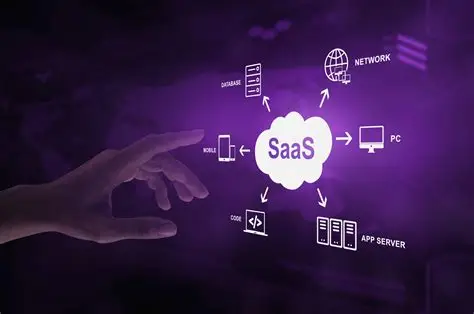
At some point, almost every SaaS idea encounters the same seductive sentence:
“We just need to build the app.”
That sentence can cost you six months.
Maybe a year.
Because a SaaS application is not simply software sitting behind a login screen. It is a system for acquiring customers, delivering value, collecting money, managing permissions, storing data, handling failures, measuring usage, and convincing customers that next month's invoice is still worth paying.
The code is essential.
It is also only one part of the problem.
If I were starting a SaaS application from scratch, I would resist the temptation to open an IDE on day one. I'd first try to answer a much less glamorous question:
What recurring problem is valuable enough that someone will repeatedly pay me to solve it?
That question determines almost everything that follows.
Start With a Problem Worth Turning Into Software
The easiest SaaS products to describe are often the hardest to build into businesses.
“An AI platform for businesses.”
“A collaboration tool.”
“A better CRM.”
Those descriptions identify categories. They don't identify a customer problem.
A stronger starting point sounds more like this:
“Small accounting firms spend five hours every week collecting documents from clients, chasing missing files, and organizing them before tax preparation begins.”
Now there is something to work with.
There is a customer.
There is a workflow.
There is measurable pain.
And, importantly, there is a reason software might be useful.
Before writing code, I would interview potential customers. Not twenty people who say the idea is “cool.” People who actually perform the job.
Ask what they do today.
Ask what they hate.
Ask what they currently pay for.
Ask what happens when the problem isn't solved.
Then listen carefully when they describe their workaround.
Spreadsheets are particularly revealing. So are email chains, shared folders, copy-and-paste processes, and employees whose job appears to consist largely of moving information from one system into another.
Those are clues.
Decide What the First Version Actually Needs to Do
The first version of a SaaS application should not attempt to become the final version.
That sounds obvious.
It isn't.
Founders routinely mistake more functionality for more product. The result is predictable: complicated interfaces, longer development cycles, larger budgets, and very little evidence that anyone actually wants what has been built.
A useful MVP—minimum viable product—should perform the central job exceptionally clearly.
Suppose you're building software that helps law firms collect information from clients.
Your first release might need:
- User accounts
- Client invitations
- Secure document or information submission
- Status tracking
- Notifications
- Basic administration
- Billing
It probably does not need:
- 47 dashboard widgets
- A native mobile app
- Six dozen integrations
- An elaborate AI assistant
- Custom reporting for every imaginable scenario
The question is brutally simple:
What is the smallest product that delivers the promised outcome?
That becomes your first architectural boundary.
Choose the Technology Stack for the Business You Have
There is no universally correct SaaS stack.
There is only a stack that is appropriate—or inappropriate—for your requirements.
A conventional web SaaS might combine a modern frontend framework, a backend API, a relational database, cloud infrastructure, object storage, authentication, payment processing, analytics, logging, and transactional email.
You could build much of this yourself.
You shouldn't.
Not initially.
Authentication is a good example. Unless identity management itself is your product, building a sophisticated authentication system from scratch can consume engineering time while introducing security risks that already have mature solutions.
The same principle applies to payments.
Why spend months reinventing subscription billing when established payment platforms already handle recurring charges, invoices, payment methods, and many difficult edge cases?
A practical architecture
For a typical early-stage SaaS application, the architecture might look roughly like this:
| Layer | Lean MVP choice | More complex scale-up choice | Main trade-off |
|---|---|---|---|
| Frontend | React/Next.js or similar | Same + advanced client architecture | Speed vs. complexity |
| Backend | Node.js, Python, Ruby, Go, etc. | Service-oriented architecture where justified | Simplicity vs. scale |
| Database | PostgreSQL | PostgreSQL + specialized stores if needed | Generality vs. optimization |
| Hosting | Managed cloud platform | Containerized/cloud infrastructure | Convenience vs. control |
| Authentication | Managed auth provider | Custom identity architecture | Speed vs. customization |
| Payments | Stripe or equivalent | Billing service + internal revenue systems | Integration vs. control |
| File storage | Object storage | Storage + CDN + processing pipeline | Simplicity vs. performance |
| Search | Database search | Dedicated search engine | Cost vs. capability |
| Analytics | Product analytics platform | Warehouse + custom analytics stack | Speed vs. ownership |
| Monitoring | Managed logs/error tracking | Full observability platform | Simplicity vs. depth |
The important word in that table is trade-off.
Technology choices aren't personality tests.
Your application doesn't become superior because its backend uses a fashionable language.
Design the Database Before Designing the Dashboard
This is one of those decisions that feels painfully unexciting until it saves you from a painful rewrite.
A SaaS application has entities.
Users.
Organizations.
Subscriptions.
Projects.
Invoices.
Teams.
Documents.
Permissions.
Events.
Those entities have relationships.
If you're building a B2B SaaS product, for example, you should think carefully about whether a user belongs to one organization or several, who owns an organization, which resources belong to which tenant, and how permissions work.
That last point is especially important.
Multi-tenancy changes everything
In a multi-tenant SaaS application, many customers use the same underlying software.
That creates an architectural requirement that cannot be patched casually at the end:
Customer A must never be able to access Customer B's data.
Every query, API endpoint, background job, file-access path, and administrative function needs to respect tenant boundaries.
A product can have beautiful typography and a brilliant onboarding flow.
If its authorization model is wrong, none of that matters.
Security is not a feature you bolt on after launch. It is part of the application's structure.
Build the Core Workflow Before the Periphery
Imagine a customer signing into your application for the first time.
What happens?
That sequence should be designed almost like a piece of choreography.
Create an account.
Choose a workspace.
Import information.
Invite colleagues.
Perform the core task.
See the result.
Understand what to do next.
The product should make that path obvious.
This is where many SaaS applications become strangely self-conscious. They display dashboards before the user has accomplished anything. They ask for information they don't yet need. They present ten navigation options when the customer came to perform one job.
A good SaaS interface doesn't merely expose functionality.
It directs attention.
Build Billing Into the Product Architecture
Revenue is not an administrative afterthought.
If customers pay monthly or annually, billing becomes part of your application's operating system.
You need to decide:
- What constitutes a subscription?
- Which plans exist?
- Is pricing per user, organization, usage, or feature?
- What happens when a payment fails?
- When does access change after cancellation?
- Can customers upgrade immediately?
- Can they downgrade?
- How are refunds handled?
- What happens to their data after cancellation?
- Who receives billing notifications?
Usage-based SaaS adds another layer.
Now you need reliable metering.
If the customer is charged for 17,342 API calls, you need to know where that number came from.
A billing dispute is not merely a customer-service ticket. It is an architectural test.
Don't Forget the Boring Parts
The glamorous SaaS demo shows the happy path.
Real customers live in the unhappy paths.
The password reset fails.
The credit card expires.
The webhook arrives twice.
A user gets removed from an organization.
A file upload stops halfway through.
An API request times out.
Two people edit the same record.
A customer deletes something accidentally.
A background job runs three times.
An integration's API changes.
The database becomes temporarily unavailable.
These aren't hypothetical inconveniences.
They're the application.
A serious SaaS build therefore needs error handling, retries, idempotency where appropriate, backups, monitoring, audit logs, rate limiting, access controls, and a recovery plan.
The product doesn't earn trust when everything works.
It earns trust when something goes wrong and the customer barely notices.
Build Security Into Every Layer
Security deserves its own development track.
At minimum, a SaaS team should think about:
Authentication: Who is the user?
Authorization: What is that user allowed to do?
Data protection: How is sensitive information stored and transmitted?
Secrets management: Where are API keys and credentials kept?
Logging: Can suspicious activity be detected?
Backups: Can data be recovered?
Dependencies: Are third-party packages maintained and patched?
Infrastructure: Who can access production systems?
For business software, security can also become a sales requirement.
An enterprise prospect may ask about encryption, audit trails, access controls, data retention, compliance, incident response, or vendor security practices before signing a contract.
You may have started the company to solve a workflow problem.
Eventually, you're also selling trust.
Launch Before You Feel Ready
There is a dangerous moment in SaaS development when the product is almost ready.
Almost ready can last forever.
The team notices another rough edge.
Then another.
The settings page needs redesigning.
The onboarding could be smoother.
The reporting module needs one more filter.
Meanwhile, nobody has learned whether customers will pay.
My preferred mental model is simple: launch when the core workflow is reliable, the security fundamentals are sound, the customer can understand the product, and you have a way to observe what happens.
Then watch.
Not vanity metrics.
Behavior.
Do users activate?
Do they return?
Do they complete the central workflow?
Do they invite coworkers?
Do they reach a point where the software becomes part of their routine?
Do they pay?
Do they renew?
Those answers are more valuable than another month of speculative feature development.
The Economics Matter More Than the Feature List
A SaaS application becomes a SaaS business when its economics begin to work.
Consider the basic relationship:
LTV ≈ Average Revenue Per Customer × Gross Margin ÷ Customer Churn Rate
It is an approximation, not a universal accounting formula.
But it forces the right conversation.
If you spend $1,000 acquiring a customer who generates $300 in gross profit before leaving, you have a problem.
If customers stay longer, expand their subscriptions, and cost relatively little to serve, the economics improve.
That means product decisions should eventually connect to business outcomes.
Faster onboarding can improve activation.
Better reliability can improve retention.
Improved packaging can increase average revenue.
Automation can reduce support costs.
Integrations can increase switching costs and deepen adoption.
The product and the economics are not separate conversations.
They are the same conversation viewed from different angles.
What Should You Build First?
If I had a limited engineering budget, I would prioritize the following sequence:
- Customer problem validation
- Core workflow
- Authentication and authorization
- Data model
- Basic user interface
- Billing
- Analytics and event tracking
- Error handling and monitoring
- Security and backups
- Customer feedback mechanisms
Only then would I aggressively expand the feature set.
This order is intentionally unglamorous.
That's the point.
The Real Product Is Not the Software
Here is the uncomfortable conclusion.
You can build a SaaS application in weeks.
You can build a technically sophisticated SaaS application in months.
Neither fact tells you whether you've built a business.
The software is the mechanism. The business exists in the relationship between the software and the customer's problem.
That changes how I would approach the entire project.
Don't ask, “How many features can we ship?”
Ask, “How quickly can a customer achieve a valuable outcome?”
Don't ask, “What technology do the best startups use?”
Ask, “What architecture lets us learn without creating unnecessary complexity?”
Don't ask, “How do we stop customers from leaving?”
Ask, “What makes this product increasingly useful after six months?”
And don't mistake a polished application for validation.
A beautiful product nobody needs is still nobody's solution.
The best SaaS applications often look deceptively simple from the outside. Behind that simplicity is disciplined product selection, careful architecture, reliable infrastructure, thoughtful economics, and thousands of decisions about what not to build.
That last category may be the most important.
Because building SaaS is not primarily an exercise in adding software.
It is an exercise in removing everything that stands between a customer and a problem worth solving.
- Arts
- Business
- Computers
- Игры
- Health
- Главная
- Kids and Teens
- Деньги
- News
- Personal Development
- Recreation
- Regional
- Reference
- Science
- Shopping
- Society
- Sports
- Бизнес
- Деньги
- Дом
- Досуг
- Здоровье
- Игры
- Искусство
- Источники информации
- Компьютеры
- Личное развитие
- Наука
- Новости и СМИ
- Общество
- Покупки
- Спорт
- Страны и регионы
- World

 English
 French
 Spanish
 Portuguese
 Deutsch
 Turkish
 Dutch
Dutch
 Italiano
 Arabic
 Romaian
 Portuguese (Brazil)
 Greek
Greek