
What Are the Best Presentation Templates?
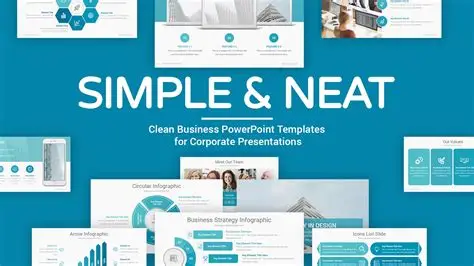
A great presentation template can transform a good talk into a polished, professional, visually compelling experience. But with thousands of templates available online, and every platform offering different features, it’s easy to feel overwhelmed.
This guide breaks down the best types of presentation templates, where to find them, what makes a template effective, and how to choose the right design for your topic, audience, and format. Whether you’re building a school project, pitching a startup, or presenting data, this article will give you a deep understanding of how great templates work and where to get them.
1. What Makes a Presentation Template “Good”?
Before choosing a template, you need to know what quality actually looks like. A professional template follows strong design principles that make your slides clear, readable, and visually consistent.
1.1 Clean, uncluttered layouts
A great template avoids:
-
Too many shapes
-
Decorative borders
-
Unnecessary icons
-
Busy backgrounds
-
Excessive color gradients
Minimalism always improves clarity.
1.2 Strong visual hierarchy
A well-designed template guides the viewer’s eye using:
-
A clear title area
-
Predictable placement of text
-
Consistent spacing
-
Balanced slide composition
1.3 Professional typography
This means:
-
A readable font for body text
-
A bold, clear font for titles
-
Good contrast between text and background
Avoid templates using decorative fonts for important content.
1.4 Consistent color palette
A high-quality template uses:
-
1 primary color
-
1–2 accent colors
-
Easy-to-read background colors
Colors should support your message, not distract from it.
1.5 Variety of slide types
A strong template includes layouts for:
-
Title slides
-
Section breaks
-
Bullet points
-
Images
-
Comparisons
-
Charts and graphs
-
Quotes
-
Conclusions
-
Thank-you slides
Templates with only 5–8 slide designs are weak. Professional templates have 20–50 layouts.
1.6 Easy customization
You should be able to:
-
Change colors
-
Swap fonts
-
Replace icons
-
Edit chart styles
-
Insert your brand elements
If a template “locks” too many elements, it becomes frustrating to use.
2. Best Templates for PowerPoint
PowerPoint remains the most widely used presentation software, especially for business, academic, and corporate contexts. Here are the top sources for professional PowerPoint templates.
2.1 Microsoft Office Official Templates (Free)
Microsoft offers high-quality templates directly within PowerPoint or on the Office website.
Best for: Educational presentations, business decks, reports, simple professional needs.
Strengths:
-
Extremely reliable
-
Clean, simple designs
-
Fully compatible with PowerPoint features
Weaknesses:
-
Less creative than third-party templates
2.2 Envato Elements (Paid Subscription)
One of the best marketplaces for professional templates.
Best for: Entrepreneurs, company pitch decks, students who want premium-quality visuals.
Features:
-
Thousands of premium templates
-
Consistent color schemes
-
Trendy, modern designs
-
Many startup-style decks
2.3 SlideModel (Paid)
SlideModel specializes in business templates.
Best for: Corporate presentations, marketing reports, analytical slides, business strategy frameworks.
Benefits:
-
Highly polished business diagrams
-
SWOT templates, funnels, timelines
-
Maps, charts, matrix diagrams
2.4 Slides Carnival (Free)
User-friendly and ideal for students.
Best for: School projects, light business use, creative presentations.
Pros:
-
Stylish and fun templates
-
100% free
-
Works with PowerPoint and Google Slides
3. Best Templates for Google Slides
Google Slides is popular for collaboration, cloud storage, and school presentations.
3.1 Google’s Built-In Templates (Free)
These are simple but reliable.
Best for: School assignments, group projects, personal presentations.
3.2 Slidesgo (Free + Premium)
One of the most popular template libraries for Google Slides.
Pros:
-
Very creative styles
-
Bright colors
-
Themed templates (science, history, sports, etc.)
Cons:
-
Some templates use decorative elements that can look busy
-
Free versions sometimes require attribution
3.3 SlidesMania (Free)
Great for students and teachers.
Best for: Class presentations, interactive lessons, notebooks, planners.
Features:
-
Very unique layouts
-
Designed with education in mind
4. Best Templates for Keynote
Keynote templates are known for their Apple aesthetic — clean, modern, and stylish.
4.1 Apple’s Built-In Templates (Free)
Apple’s system templates are extremely polished.
Best for: Professional, minimalist presentations.
4.2 Envato Elements Keynote Templates (Paid)
High-quality premium designs optimized for Apple devices.
Includes:
-
Pitch decks
-
Photography portfolios
-
Corporate reports
4.3 KeynoteStore (Paid)
A curated collection of luxury-style Keynote templates.
Best for: Branding presentations, design work, portfolio showcases.
5. Best Templates for Canva
Canva is extremely popular with students, creators, and entrepreneurs because it's easy to use and visually strong.
5.1 Canva Free Templates
Thousands of templates for:
-
Business
-
Education
-
Marketing
-
Creative storytelling
5.2 Canva Pro Templates
Even more polished, modern, and stylish than the free ones.
Best for:
Anyone wanting elevated design without needing design skills.
Why Canva templates are powerful:
-
Huge icon library
-
Easy photo editing
-
Drag-and-drop charts
-
Works on any device
6. Best Templates for Prezi
Prezi is different — it uses zooming transitions instead of standard slides.
6.1 Prezi’s Official Templates
These templates are primarily:
-
Interactive
-
Non-linear
-
Dynamic
Best for:
Presentations that require storytelling or movement.
Limitations:
-
Not suitable for formal corporate audiences
-
Can cause motion issues for some viewers
7. Best Templates for Startup Pitch Decks
Pitch decks require special layouts. Here are the most respected templates:
7.1 Sequoia Capital Pitch Deck Template
Famous for its clarity and structure.
Includes slides for:
-
Problem
-
Solution
-
Why now
-
Market size
-
Product
-
Business model
-
Team
7.2 Y Combinator Pitch Template
YC’s format is simple and clean.
Great for:
Founders who want a clear, no-nonsense template.
7.3 Slidebean Pitch Decks
Slidebean provides professional templates used by startups raising millions.
Pros:
-
Very polished
-
Designed for investors
8. Best Templates for Academic Presentations
Academic presentations have different standards. They're more formal and text-heavy.
Top sources:
-
Google Slides Science Templates (Slidesgo, SlidesMania)
-
PowerPoint Research Posters (Microsoft Office)
-
Canva Education Templates
These templates emphasize:
-
Clarity
-
Legibility
-
Proper citation space
9. How to Choose the Right Template for Your Presentation
Templates are not “one-size-fits-all.” Here is a step-by-step way to choose the best one.
9.1 Consider your audience
Ask:
-
Are they professional?
-
Academic?
-
Creative?
-
Casual?
Match the visual style accordingly.
9.2 Consider your subject
Examples:
-
Data-heavy → minimalist slides
-
Creative story → colorful, illustrated slides
-
Business pitch → clean, modern, sharp lines
9.3 Consider your tone
Is your presentation:
-
Formal?
-
Inspirational?
-
Serious?
-
Playful?
Your template should match the mood.
9.4 Consider your time
Short presentations require simpler visuals.
Long presentations need more slide variation.
9.5 Consider your skills
If you’re not great with design, choose:
-
Canva templates
-
Simple, minimal PowerPoint templates
If you’re more advanced, you can customize more complex templates.
10. The Easiest Templates for Beginners
If you want templates that are extremely easy to use, choose:
-
Canva simple business templates
-
PowerPoint’s “Ion”, “Parcel”, or “Atlas” templates
-
Google Slides education templates
These designs handle spacing, colors, and typography automatically.
11. Templates to Avoid
You should avoid templates that are:
11.1 Overly colorful
Too many colors can look childish.
11.2 Overly decorative
Borders, patterns, and fancy frames damage clarity.
11.3 Font-heavy
Templates using more than 2–3 fonts look messy.
11.4 Too many animation effects
Transitions should be subtle.
11.5 Low-contrast
If text blends into the background, the audience will struggle to read it.
12. Should You Use a Template or Design Your Own?
Most people should use a template unless:
-
You have design experience
-
You want a fully branded deck
-
You have a unique layout idea
Templates save time, ensure consistency, and look more professional.
13. Final Tips for Using Templates Well
Even the best template needs thoughtful use.
13.1 Keep slides simple
Stick to:
-
1 idea per slide
-
Short bullet points
-
High-contrast text
13.2 Use high-quality images
Avoid pixelated graphics.
13.3 Don’t change too many things
Changing fonts, colors, and layouts can break the design.
13.4 Leave enough white space
Crowded slides are the #1 beginner error.
13.5 Practice with the template
Make sure transitions, layouts, and pacing feel natural.
Conclusion
The best presentation templates are the ones that:
-
Match your topic
-
Fit your audience
-
Support your story
-
Make your message clear
Whether you use PowerPoint, Google Slides, Keynote, Canva, or Prezi, there are outstanding options available for every style of presentation—from academic research to startup pitches to creative storytelling.
A great template won’t automatically make your presentation brilliant…
but it will make your message more polished, professional, and easy to follow.
- Arts
- Business
- Computers
- Oyunlar
- Health
- Home
- Kids and Teens
- Money
- News
- Personal Development
- Recreation
- Regional
- Reference
- Science
- Shopping
- Society
- Sports
- Бизнес
- Деньги
- Дом
- Досуг
- Здоровье
- Игры
- Искусство
- Источники информации
- Компьютеры
- Личное развитие
- Наука
- Новости и СМИ
- Общество
- Покупки
- Спорт
- Страны и регионы
- World

 English
 Russian
 French
 Spanish
 Portuguese
 Deutsch
 Dutch
Dutch
 Italiano
 Arabic
 Romaian
 Portuguese (Brazil)
 Greek
Greek
