
How to Automate Report Generation?
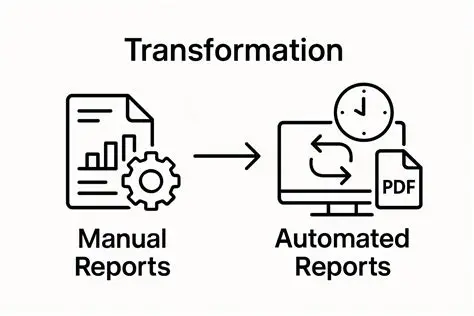
Report generation is a common but time-consuming task in offices. Whether it’s daily sales reports, weekly performance summaries, or monthly financial statements, creating reports manually can lead to delays, errors, and inefficiencies. Automating report generation helps organizations produce accurate, timely, and consistent reports with minimal effort.
By using the right tools and techniques, businesses can streamline reporting processes and significantly improve productivity.
Understanding Report Automation
Report automation involves using software to collect data, process it, and generate reports automatically without manual intervention.
It allows you to:
- Pull data from multiple sources
- Process and analyze data
- Generate reports instantly
- Update reports in real time
Automation transforms reporting into a fast and efficient process.
Why Automate Report Generation?
Automating reports provides many benefits:
- Saves time
- Reduces human errors
- Improves accuracy
- Ensures consistency
- Enables faster decision-making
It is especially useful for recurring reports.
Types of Reports That Can Be Automated
Common reports that can be automated include:
- Sales reports
- Financial reports
- Inventory reports
- Employee performance reports
- Customer analytics reports
Any repetitive report is a good candidate for automation.
Using Spreadsheets for Report Automation
Microsoft Excel
Microsoft Excel is one of the most powerful tools for automating reports.
Features include:
- Formulas and functions
- Pivot tables
- Charts and dashboards
- Macros
Benefits:
- Automates calculations
- Updates reports automatically
- Improves accuracy
Using Templates
Templates simplify report creation.
They:
- Provide a standard format
- Reduce setup time
- Ensure consistency
You can create reusable templates for different types of reports.
Using Pivot Tables
Pivot tables in Microsoft Excel help summarize large datasets.
They allow you to:
- Analyze data quickly
- Generate reports automatically
- Update results with new data
Automating Data Collection
Automating data collection is essential for report automation.
You can:
- Import data from databases
- Use forms to collect data
- Integrate systems
Tools like Zapier can automate data transfer between apps.
Using Power Query
Power Query automates data preparation.
It helps:
- Import data from multiple sources
- Clean and transform data
- Update data automatically
This is useful for complex reports.
Using Dashboards
Dashboards provide visual reports.
They:
- Display key metrics
- Update automatically
- Improve data visualization
Dashboards help in quick decision-making.
Using Macros
Macros automate repetitive reporting tasks.
They can:
- Format reports
- Update data
- Generate outputs
Macros save time and effort.
Using Workflow Automation Tools
Microsoft Power Automate
Microsoft Power Automate can automate report workflows.
Examples:
- Generate report → Send via email
- Update data → Trigger report
Zapier
Zapier can automate reporting processes.
Examples:
- Collect data → Update spreadsheet → Notify team
Automating Report Distribution
Reports can be automatically shared.
You can:
- Email reports
- Share via cloud platforms
- Schedule report delivery
Tools like Microsoft Outlook help automate distribution.
Scheduling Reports
Automated systems can generate reports at specific times.
Examples:
- Daily reports at 8 AM
- Weekly summaries on Fridays
Scheduling ensures timely delivery.
Integrating Data Sources
Integration improves reporting.
You can connect:
- CRM systems
- Accounting software
- Databases
This ensures accurate and up-to-date data.
Benefits of Report Automation
Automating report generation provides:
- Faster reporting
- Improved accuracy
- Reduced workload
- Better decision-making
- Increased productivity
These benefits improve business performance.
Real-Life Examples
Examples include:
- Automatically generating sales reports
- Updating financial dashboards
- Sending weekly performance reports
- Tracking inventory levels
These applications save time and improve efficiency.
Challenges of Report Automation
Challenges may include:
- Initial setup complexity
- Data integration issues
- Learning new tools
Proper planning helps overcome these challenges.
Tips for Effective Report Automation
To succeed:
- Use reliable data sources
- Keep reports simple
- Test automation systems
- Update regularly
These practices ensure accuracy and efficiency.
Common Mistakes to Avoid
Avoid these mistakes:
- Using incorrect data
- Overcomplicating reports
- Not testing automation
- Ignoring updates
Careful planning is essential.
Role in Office Administration
Report automation is essential for administrative roles.
It helps:
- Track performance
- Support decision-making
- Improve efficiency
Automation simplifies reporting tasks.
Future of Report Automation
Report automation is evolving with:
- Artificial intelligence
- Real-time analytics
- Smart dashboards
These technologies will further improve reporting.
Impact on Productivity
Automated reporting improves productivity by:
- Saving time
- Reducing manual work
- Improving accuracy
Employees can focus on analysis instead of creation.
Conclusion
Automating report generation is essential for modern offices. By using tools like Microsoft Excel, Microsoft Power Automate, and Zapier, organizations can streamline reporting processes and improve efficiency.
With proper setup and management, automated reporting ensures accurate, timely, and consistent results, making it a key component of effective office operations.
- Arts
- Business
- Computers
- Jocuri
- Health
- Home
- Kids and Teens
- Money
- News
- Personal Development
- Recreation
- Regional
- Reference
- Science
- Shopping
- Society
- Sports
- Бизнес
- Деньги
- Дом
- Досуг
- Здоровье
- Игры
- Искусство
- Источники информации
- Компьютеры
- Личное развитие
- Наука
- Новости и СМИ
- Общество
- Покупки
- Спорт
- Страны и регионы
- World

 English
 Russian
 French
 Spanish
 Portuguese
 Deutsch
 Turkish
 Dutch
Dutch
 Italiano
 Arabic
 Portuguese (Brazil)
 Greek
Greek