
How Is AI Used in Office Automation?
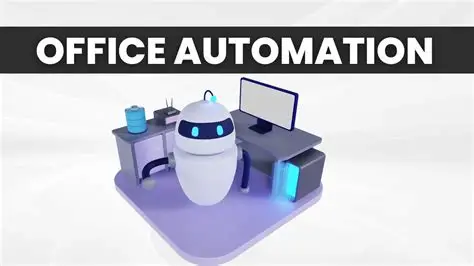
Artificial intelligence has moved from abstraction into everyday office life with a quiet confidence. It does not announce itself loudly; instead, it integrates, assists, and gradually reshapes how work is done. In office automation, AI is not a single tool—it is a layer of intelligence woven into systems that once followed only rigid instructions.
To understand how AI is used in office automation is to understand how work itself is becoming more responsive, more predictive, and more nuanced.
From Rules to Learning Systems
Traditional automation follows rules: if this happens, then do that. It is structured, predictable, and limited to predefined scenarios.
AI introduces learning.
Instead of relying solely on fixed logic, AI systems analyze patterns, adapt to changes, and refine their behavior over time. This allows automation to handle more complex, less predictable tasks.
For example, an AI-powered system can learn how emails are categorized and begin sorting them automatically—not based on static filters, but on evolving patterns of communication.
This shift transforms automation from execution to interpretation.
Intelligent Document Processing
Offices generate and handle vast amounts of documents—contracts, invoices, reports, forms.
AI enhances how these documents are processed.
Using technologies such as optical character recognition and natural language understanding, AI can:
- Extract key information from documents
- Classify document types
- Identify inconsistencies or missing data
This reduces manual data entry and increases accuracy. More importantly, it allows documents to become actionable data rather than static files.
Smart Scheduling and Calendar Management
Scheduling is a deceptively complex task.
AI simplifies it by analyzing availability, preferences, priorities, and even behavioral patterns. It can suggest optimal meeting times, avoid conflicts, and adjust schedules dynamically.
Over time, AI systems learn how individuals and teams operate. They recognize patterns—when people are most productive, how long meetings typically run, and which commitments take priority.
The result is not just efficient scheduling, but more thoughtful use of time.
Automated Communication Assistance
Communication is central to office work, and AI is increasingly present in how messages are created and managed.
AI tools can:
- Draft emails based on context
- Suggest responses
- Summarize long conversations
- Translate messages across languages
These capabilities reduce the cognitive load of communication. Instead of starting from scratch, employees can refine and personalize AI-generated suggestions.
Communication becomes faster, but also more consistent.
Data Analysis and Insights
Data is abundant, but insight is often scarce.
AI bridges this gap by analyzing large datasets and identifying patterns that might not be immediately visible.
In office automation, this means:
- Generating reports automatically
- Highlighting trends and anomalies
- Providing recommendations based on data
Decision-makers are no longer limited to static reports. They can interact with data in real time, asking questions and receiving meaningful answers.
This changes how decisions are made—shifting from retrospective analysis to forward-looking insight.
Workflow Optimization
AI does not just execute workflows—it improves them.
By observing how processes operate, AI can identify inefficiencies. It can suggest adjustments, remove unnecessary steps, and streamline operations.
For example, if a task consistently experiences delays, AI can flag the issue and recommend changes. Over time, workflows become more efficient without requiring constant manual review.
This creates a cycle of continuous improvement.
Customer Support Automation
AI plays a significant role in managing customer interactions.
Chatbots and virtual assistants can handle routine inquiries, provide information, and guide users through processes. More advanced systems can understand context, recognize intent, and escalate complex issues when necessary.
This allows organizations to respond more quickly while maintaining quality.
Importantly, AI does not replace human support—it complements it. Routine tasks are handled automatically, freeing human agents to focus on more complex or sensitive interactions.
Predictive Task Management
AI can anticipate needs before they are explicitly stated.
By analyzing patterns in work behavior, deadlines, and project timelines, AI can predict upcoming tasks and suggest actions.
For instance:
- Reminding teams of approaching deadlines
- Suggesting task prioritization
- Identifying potential bottlenecks
This predictive capability helps organizations stay ahead rather than react after the fact.
Personal Assistants in the Workplace
AI-powered assistants are becoming a common feature in modern offices.
These assistants can manage tasks, retrieve information, set reminders, and coordinate activities. They act as an interface between the user and complex systems.
What distinguishes them is their ability to understand natural language. Employees can interact with systems conversationally, reducing the need for technical knowledge.
This makes automation more accessible and intuitive.
Enhancing Collaboration
Collaboration tools are increasingly powered by AI.
AI can:
- Summarize meetings
- Highlight key discussion points
- Track action items
- Suggest relevant documents or resources
This ensures that information is captured and shared effectively. Teams spend less time organizing and more time collaborating.
AI supports the flow of ideas rather than interrupting it.
Security and Risk Detection
AI also contributes to protecting automated systems.
It can monitor activity, detect anomalies, and identify potential security threats. For example, unusual login behavior or unexpected data access patterns can trigger alerts.
This proactive approach enhances security, allowing organizations to respond quickly to potential risks.
AI does not replace traditional security measures, but it strengthens them.
Challenges in AI-Driven Automation
While AI offers significant advantages, it also introduces challenges.
These include:
- Data quality requirements
- Potential bias in algorithms
- Lack of transparency in decision-making
- Dependence on accurate training data
Organizations must address these challenges to ensure that AI is used responsibly.
Understanding how AI systems make decisions is particularly important. Without transparency, trust can be difficult to maintain.
The Balance Between Automation and Judgment
AI can assist, recommend, and even decide—but it should not operate in isolation.
Human judgment remains essential. It provides context, ethical consideration, and critical thinking that AI cannot fully replicate.
The most effective use of AI in office automation is collaborative. Systems handle complexity and scale, while humans provide oversight and interpretation.
A Gradual Transformation
AI is not transforming offices overnight. Its impact is gradual, often subtle.
Processes become smoother. Decisions become more informed. Tasks become less repetitive.
Over time, these changes accumulate, reshaping how work is experienced.
Final Thoughts
AI in office automation is not about replacing effort—it is about redefining it.
It shifts focus from routine execution to meaningful contribution. It enables systems to support rather than simply respond.
As AI continues to evolve, its role in the office will expand. But its success will depend not on how advanced it becomes, but on how thoughtfully it is integrated.
Used well, AI becomes a quiet partner in work—enhancing clarity, improving efficiency, and allowing people to focus on what truly matters.
- Arts
- Business
- Computers
- Spellen
- Health
- Home
- Kids and Teens
- Money
- News
- Personal Development
- Recreation
- Regional
- Reference
- Science
- Shopping
- Society
- Sports
- Бизнес
- Деньги
- Дом
- Досуг
- Здоровье
- Игры
- Искусство
- Источники информации
- Компьютеры
- Личное развитие
- Наука
- Новости и СМИ
- Общество
- Покупки
- Спорт
- Страны и регионы
- World

 English
 Russian
 French
 Spanish
 Portuguese
 Deutsch
 Turkish
 Italiano
 Arabic
 Romaian
 Portuguese (Brazil)
 Greek
Greek