
How to set up an efficient office workspace?
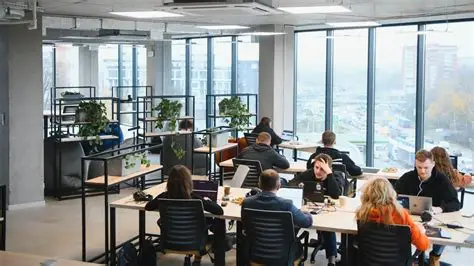
It had everything you would expect.
A clean surface. Matching organizers. A chair that seemed adequate. Even a neatly arranged stack of notebooks positioned just so—visible, accessible, almost persuasive in its order.
And yet, work felt slow.
Not dramatically. Not in a way that raised alarms. Just a subtle drag—decisions taking longer, interruptions appearing more frequently, focus slipping in ways that were difficult to trace.
That’s the problem with inefficient workspaces.
They rarely announce themselves.
Which raises a more precise question than most people ask:
How do you set up an office workspace that actually supports the way you work—not just the way it looks?
Efficiency Begins Before Arrangement
The Common Mistake: Designing Before Understanding
Most workspace setups start with:
- Furniture selection
- Layout decisions
- Visual organization
But efficiency doesn’t begin there.
Start With Work, Not Space
Ask:
- What tasks do I perform most often?
- What tools do those tasks require?
- Where do interruptions occur?
Your workspace should reflect your workflow—not the other way around.
Step One: Define Zones Based on Function
One Space, Multiple Purposes
An efficient workspace is not a single surface.
It is a system of zones:
- Primary work area
- Reference or reading space
- Storage area
Why Zoning Matters
Without defined zones:
- Items compete for space
- Movement becomes inefficient
- Focus is fragmented
Structure reduces decision-making.
Step Two: Optimize the Primary Work Area
The Core Zone
This is where most of your work happens.
It should contain:
- Your computer or laptop
- Essential input devices
- Frequently used tools
Keep It Minimal
Only include:
- Items used daily
- Tools required for immediate tasks
Everything else belongs elsewhere.
Step Three: Prioritize Ergonomics
Comfort Is Not Optional
An inefficient workspace often hides physical strain.
Key elements:
- Chair height and support
- Desk alignment
- Screen positioning
The Impact
Poor ergonomics:
- Reduces focus
- Increases fatigue
- Shortens productive periods
Efficiency depends on sustainability.
Step Four: Organize for Accessibility, Not Appearance
Visibility vs. Reach
It’s tempting to arrange items for visual appeal.
But efficiency requires:
- Logical placement
- Easy access
- Minimal movement
Practical Placement
- Frequently used items within arm’s reach
- Occasional tools slightly farther
- Rarely used supplies stored away
Accessibility defines usability.
Step Five: Integrate Digital and Physical Tools
Avoid Redundant Systems
Your workspace likely includes:
- Microsoft Excel
- Google Docs
Physical tools should:
- Complement these systems
- Not duplicate them
Example
If tasks are tracked digitally:
- Avoid maintaining parallel paper systems
- Reduce unnecessary duplication
Clarity improves when systems align.
Step Six: Control Clutter Before It Forms
Clutter Is a Process, Not an Event
It builds gradually:
- One misplaced item
- One delayed decision
- One unused supply
Preventative Measures
- Assign a place for every item
- Return items immediately after use
- Limit incoming materials
Control is easier than correction.
A Lesson Learned: Efficiency Is Often Invisible
There was a time when my workspace looked organized—but functioned poorly.
Everything had a place. Nothing was obviously out of order.
And yet:
- I reached for items that weren’t there
- I searched for tools I used daily
- I adjusted my position constantly
The issue wasn’t organization.
It was alignment.
The setup didn’t reflect how I worked—it reflected how I thought I should work.
Rebuilding the space around actual behavior—not idealized routines—changed everything.
Not dramatically. Just consistently.
The lesson was subtle: efficiency is not about order. It’s about fit.
Step Seven: Manage Cables and Power Strategically
The Overlooked Layer
Cables, chargers, and power sources often:
- Accumulate
- Tangle
- Interrupt workflow
Solutions
- Use cable organizers
- Position outlets strategically
- Keep backup chargers accessible
Why It Matters
Power interruptions:
- Disrupt focus
- Delay tasks
- Create avoidable friction
Step Eight: Use Storage Intentionally
Storage Should Support Workflow
Not all items belong on your desk.
Use storage for:
- Supplies not used daily
- Backup materials
- Archived documents
Types of Storage
- Drawers for quick access
- Shelves for visibility
- Boxes for long-term storage
The Goal
Reduce surface clutter while maintaining accessibility.
Step Nine: Lighting and Environment
The Subtle Influencers
Lighting affects:
- Focus
- Eye strain
- Energy levels
Optimize Your Environment
- Use natural light when possible
- Add task lighting for precision work
- Minimize glare and shadows
Additional Factors
- Noise levels
- Temperature
- Air quality
These influence performance more than expected.
A Comparative Breakdown: Inefficient vs. Efficient Workspace
| Element | Inefficient Workspace | Efficient Workspace | Impact on Work |
|---|---|---|---|
| Layout | Unstructured | Zone-based | Clear workflow |
| Accessibility | Items scattered | Logical placement | Faster execution |
| Ergonomics | Ignored | Optimized | Sustained focus |
| Clutter Management | Reactive | Preventative | Reduced distraction |
| Tool Integration | Redundant systems | Aligned systems | Improved clarity |
| Environment | Uncontrolled | Optimized | Consistent performance |
Efficiency is not a single change.
It is the result of multiple aligned decisions.
Step Ten: Adjust Based on Real Use
Your Workspace Is Not Static
Over time:
- Tasks evolve
- Tools change
- Priorities shift
Regular Evaluation
Observe:
- What you use most
- What you ignore
- Where delays occur
Make Incremental Changes
Small adjustments:
- Improve alignment
- Reduce friction
- Enhance efficiency
Iteration matters more than perfection.
The Subtle Skill: Reducing Decision Points
Every Choice Consumes Attention
An inefficient workspace forces decisions:
- Where is this item?
- Where should I place it?
- How do I access it?
Efficiency Removes Questions
A well-designed workspace:
- Provides clarity
- Reduces hesitation
- Supports automatic action
Less thinking about the environment means more thinking about the work.
A Final Reflection: Your Workspace Is a System, Not a Surface
It’s easy to treat a workspace as something visual.
A desk. A chair. A collection of tools arranged in a way that feels complete.
But efficiency doesn’t come from appearance.
It comes from alignment.
Which leads to a question worth asking:
Does your workspace reflect how you actually work—or does it reflect how you believe work should look?
Because the difference is not always visible.
But over time, it defines whether your environment supports your focus—or quietly competes with it, one small interruption at a time.
- Arts
- Business
- Computers
- Oyunlar
- Health
- Home
- Kids and Teens
- Money
- News
- Personal Development
- Recreation
- Regional
- Reference
- Science
- Shopping
- Society
- Sports
- Бизнес
- Деньги
- Дом
- Досуг
- Здоровье
- Игры
- Искусство
- Источники информации
- Компьютеры
- Личное развитие
- Наука
- Новости и СМИ
- Общество
- Покупки
- Спорт
- Страны и регионы
- World

 English
 Russian
 French
 Spanish
 Portuguese
 Deutsch
 Dutch
Dutch
 Italiano
 Arabic
 Romaian
 Portuguese (Brazil)
 Greek
Greek