
How Do I Deploy a SaaS Application?
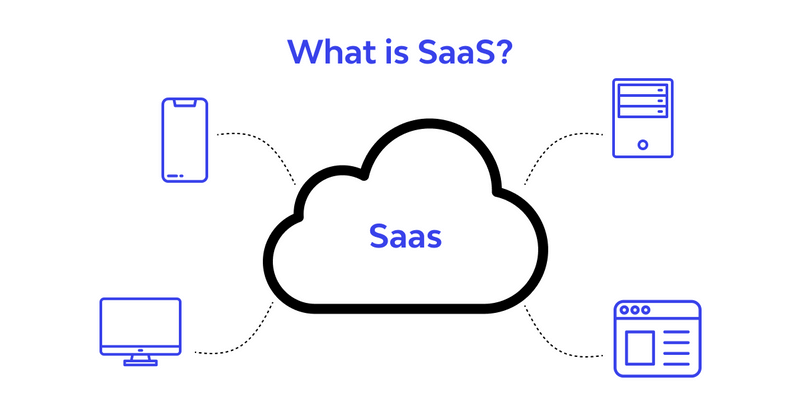
There is a peculiar moment in SaaS development when the application stops being a collection of code and starts becoming a service.
It happens at deployment.
Before that point, the product can survive inside a developer’s laptop. The database is nearby. Environment variables are familiar. Logs are visible. If something breaks, someone probably knows why.
Then you deploy.
Suddenly there is a real domain, real traffic, real authentication, real payments, real customer data, real latency—and nobody is standing over the production server waiting to restart it.
That is why SaaS deployment is not simply the final step after development. It is the transition from software you can run to software other people can depend on.
And that distinction changes almost everything.
What Does It Mean to Deploy a SaaS Application?
At its simplest, deployment means making your application available in a production environment where customers can access it over the internet.
But a SaaS application is rarely just one program.
A typical deployment may involve:
- A frontend application
- An API or backend
- A production database
- Object storage
- Authentication
- Payment infrastructure
- Background workers
- Caching
- DNS and domains
- SSL/TLS certificates
- Environment variables and secrets
- Monitoring and logging
- Backup systems
- CI/CD automation
The application is the visible part. Deployment is everything required to make that visible part dependable.
That is why a successful git push does not necessarily constitute a successful deployment.
A production deployment has to answer harder questions.
What happens when the database connection fails?
What happens when ten customers arrive simultaneously?
What happens when a background job runs twice?
What happens when an API key is accidentally exposed?
What happens when version 47 of the application has a database schema that version 46 does not understand?
Those aren't coding questions anymore.
They're operational questions.
Start With the Architecture, Not the Cloud Provider
One of the easiest mistakes is choosing infrastructure before deciding what the application actually needs.
Developers often begin with a provider, a Kubernetes cluster, or a collection of cloud services because those technologies are familiar or impressive.
That reverses the decision.
Start with the workload.
If you have a relatively small SaaS application with a few thousand users, a managed application platform, managed database, object storage, and automated deployment pipeline may be more than sufficient.
If you're processing millions of events, running computationally expensive workloads, or supporting customers with strict infrastructure requirements, the architecture will look very different.
A Practical Deployment Comparison
| Deployment approach | Typical setup | Operational effort | Scaling potential | Best for | Relative cost |
|---|---|---|---|---|---|
| Traditional VPS | App + database on server | Medium–High | Medium | Small applications, technical teams | Low |
| Managed app platform | Git repository → automatic build/deploy | Low | High | Startups and small SaaS teams | Low–Medium |
| Serverless | Functions + managed services | Low–Medium | Very High | Event-driven workloads | Variable |
| Containers | Docker + managed container platform | Medium | High | Growing production SaaS | Medium |
| Kubernetes | Containers + orchestration cluster | Very High | Very High | Large engineering organizations | High |
| Hybrid cloud | Multiple managed and self-managed services | High | Very High | Complex enterprise systems | Variable |
The interesting part of this table is not the technology.
It is the operational burden.
A technology can be technically capable of handling enormous traffic and still be a poor choice for a five-person company.
More infrastructure does not automatically create more resilience. Sometimes it creates more places for the team to make mistakes.
Step 1: Prepare the Application for Production
Before deploying, separate development configuration from production configuration.
Your application should not depend on values hardcoded into source code.
Production configuration typically includes:
- Database connection strings
- Authentication secrets
- API credentials
- Payment provider keys
- Encryption keys
- Email credentials
- Storage configuration
- Application URLs
These values belong in environment variables or a dedicated secrets-management system.
They do not belong in a public Git repository.
They do not belong in frontend JavaScript.
And they certainly should not be copied into random configuration files because "we'll clean that up later."
Later has a habit of becoming production.
Build for Failure
A production application should also handle failure deliberately.
Database unavailable? Return a controlled error.
External API unavailable? Retry where appropriate.
Background job fails? Record the failure and make it recoverable.
User submits the same payment request twice? Your system should not blindly create two transactions.
This is where concepts such as idempotency, timeouts, retries, and graceful degradation become important.
The goal isn't to prevent every failure.
That is impossible.
The goal is to make failures predictable, visible, and recoverable.
Step 2: Deploy the Database Carefully
The database is usually the most consequential part of a SaaS deployment.
Application servers can be replaced.
A database containing years of customer records is different.
For most SaaS products, a managed relational database is a sensible starting point. PostgreSQL is particularly common because it combines mature transactional behavior with powerful querying and indexing.
But creating the production database is only the beginning.
You also need:
- Automated backups
- Recovery procedures
- Database migrations
- Access controls
- Connection management
- Monitoring
- Appropriate indexes
- Encryption where required
The crucial question isn't whether backups exist.
It is whether you have tested restoring one.
A backup you have never successfully restored is partly a hope disguised as infrastructure.
Treat Database Migrations as Production Events
Suppose version 12 adds a required column.
Version 11 does not know about that column.
If you deploy the backend and database migration in the wrong sequence, the application may fail during rollout.
For that reason, mature deployment strategies often use backward-compatible database changes.
Add the new field first.
Deploy code that can work with both versions.
Migrate existing records.
Then remove the old structure later.
It takes longer.
It also prevents a surprising number of midnight emergencies.
Step 3: Put the Application Behind a Production Endpoint
Now the application needs somewhere to live.
A common architecture looks like this:
User → DNS → Load Balancer/Edge → Application → Database
Additional services sit beside that path:
Application → Cache
Application → Object Storage
Application → Queue → Background Worker
Application → External APIs
The exact implementation varies, but the principle remains consistent: separate responsibilities.
Your web server should not necessarily resize images, send thousands of emails, generate reports, and process large files while simultaneously trying to answer a customer's request.
That is how latency turns into instability.
Use Background Workers for Heavy Tasks
If a task does not need to happen before the user receives a response, consider moving it to a queue.
For example:
A customer uploads a document.
The application stores it.
A background worker extracts its contents.
Another process indexes the data.
The user sees the upload complete quickly rather than waiting for every operation.
Queues introduce their own problems—retries, duplicate jobs, dead-letter queues, monitoring—but they allow the application to separate immediate interaction from expensive computation.
That separation becomes increasingly valuable as usage grows.
Step 4: Configure DNS, HTTPS, and the Domain
Your infrastructure can be flawless and the product can still feel broken if the basic web layer isn't configured correctly.
A production deployment typically requires:
- A registered domain
- DNS records
- HTTPS
- TLS certificate management
- Correct routing
- Production application URLs
- Email-related DNS records if the application sends mail
HTTPS should be treated as fundamental infrastructure, not an optional security enhancement.
Modern managed platforms frequently automate certificate issuance and renewal, which is one more reason to avoid unnecessary infrastructure management early in a product's life.
Step 5: Create a CI/CD Pipeline
The first successful deployment feels satisfying.
The tenth manual deployment feels like unpaid labor.
That is where continuous integration and continuous deployment become useful.
A basic pipeline can look like:
Push code → Run tests → Build application → Run checks → Deploy → Run health checks
The objective is not automation for its own sake.
The objective is reducing the number of decisions required to release software.
A good deployment process should make the safe path the easy path.
Every production release should ideally be:
- Repeatable
- Observable
- Reversible
- Auditable
If deployment requires someone to remember twelve commands from an old internal document, you do not have a deployment system.
You have tribal knowledge.
Step 6: Add Monitoring Before You Need It
Monitoring is often postponed because everything appears healthy.
That is precisely when you should add it.
At minimum, watch:
- Application error rate
- Request latency
- CPU and memory utilization
- Database performance
- Database connections
- Queue depth
- Storage usage
- Failed jobs
- Authentication failures
- External API failures
Logs tell you what happened.
Metrics tell you how often it happens.
Traces can help explain where time disappeared across a distributed request.
You need all three eventually.
A useful alert is not "the server exists."
A useful alert is "error rates have increased sharply over the last ten minutes."
The difference is operational intelligence.
The Lesson: Deployment Is a Product Decision
One lesson I keep coming back to when thinking about SaaS infrastructure is that technical complexity has a carrying cost.
Every additional service creates another configuration surface.
Every custom deployment script creates another failure point.
Every infrastructure component demands some combination of monitoring, security, upgrades, documentation, and human attention.
That doesn't mean you should build everything on one server forever.
It means complexity should be purchased deliberately.
Start with the smallest architecture that can satisfy the product's reliability, security, and scaling requirements.
Then let evidence force the next architectural decision.
Traffic increases?
Scale the application layer.
Database becomes the bottleneck?
Optimize queries, indexes, connections, or database capacity.
Long-running tasks slow requests?
Introduce workers and queues.
Large enterprise customers demand stronger isolation?
Consider a more sophisticated tenancy model.
The architecture should evolve because the business requires it—not because an engineering diagram looks more impressive with another dozen boxes.
What a Sensible SaaS Deployment Might Look Like
For many early-stage SaaS companies, a practical production architecture could be surprisingly simple:
Frontend
Hosted frontend application with CDN delivery.
Backend
Managed application service or container deployment.
Database
Managed PostgreSQL with automated backups.
Storage
Object storage for files and media.
Authentication
Established authentication infrastructure rather than homegrown password management.
Payments
A specialized payment provider.
Background processing
Queue plus worker service when asynchronous jobs become necessary.
Observability
Centralized logs, application metrics, uptime monitoring, and error tracking.
Deployment
Git-based CI/CD with automated testing.
That architecture isn't glamorous.
It is useful.
And usefulness is the standard production infrastructure should be judged by.
Before You Click Deploy
Run through a production checklist:
Application
- Are production environment variables configured?
- Are development secrets removed?
- Are errors handled safely?
- Are database migrations tested?
Security
- Is HTTPS enabled?
- Are secrets protected?
- Is authorization enforced server-side?
- Can one tenant access another tenant's records?
- Are administrative endpoints protected?
Database
- Are backups automated?
- Have restores been tested?
- Are migrations reversible or safely staged?
- Are connection limits understood?
Operations
- Is monitoring active?
- Are critical errors alerted?
- Can you roll back a deployment?
- Are logs searchable?
- Is there a documented incident procedure?
Business
- Does billing work in production?
- Do emails originate from the correct domain?
- Does customer onboarding work?
- Can users export or recover their data where appropriate?
That final category matters.
A technically successful deployment that cannot reliably onboard a paying customer is not a successful SaaS deployment.
The Provocative Part: Your First Production Architecture Should Probably Be Boring
There is a temptation to design infrastructure for the company you hope to become.
A million users.
Global traffic.
Multiple regions.
Dozens of services.
Sophisticated orchestration.
But your customers do not pay for architectural ambition.
They pay for software that works.
The best first SaaS deployment is often almost disappointingly ordinary: a managed application, a reliable database, secure configuration, automated deployments, backups, monitoring, and a clear recovery path.
Then watch the system.
Watch the customers.
Watch the bottlenecks.
When reality contradicts your assumptions, change the architecture.
That is the real discipline of deployment.
Because production is not where your code goes after development.
Production is where your assumptions finally meet evidence.
And the architecture that survives that meeting is the one worth keeping.
- Arts
- Business
- Computers
- Jogos
- Health
- Início
- Kids and Teens
- Money
- News
- Personal Development
- Recreation
- Regional
- Reference
- Science
- Shopping
- Society
- Sports
- Бизнес
- Деньги
- Дом
- Досуг
- Здоровье
- Игры
- Искусство
- Источники информации
- Компьютеры
- Личное развитие
- Наука
- Новости и СМИ
- Общество
- Покупки
- Спорт
- Страны и регионы
- World

 English
 Russian
 French
 Spanish
 Deutsch
 Turkish
 Dutch
Dutch
 Italiano
 Arabic
 Romaian
 Portuguese (Brazil)
 Greek
Greek